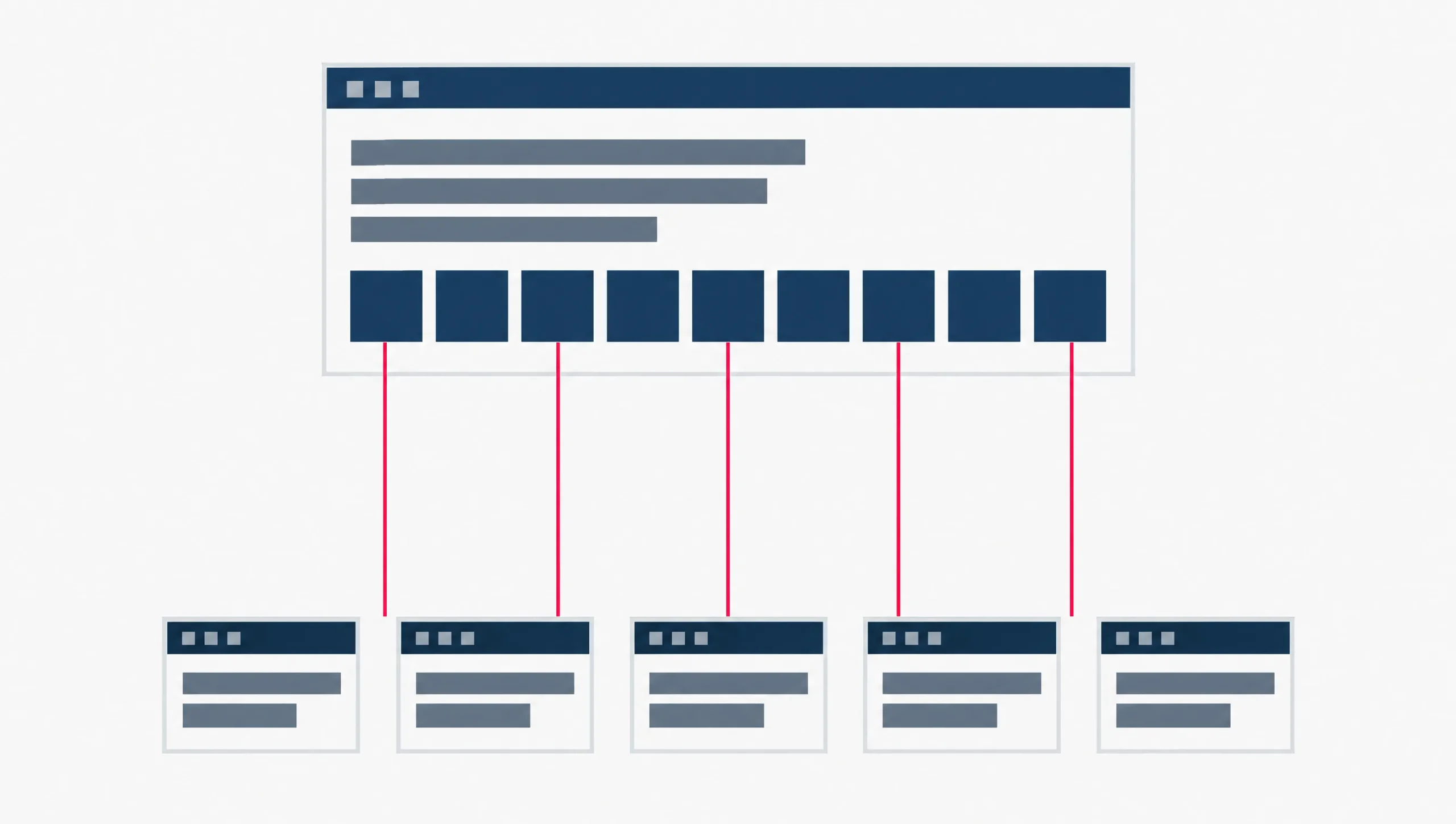
Someone has handed you a crawl report full of red rows, sorted by severity, and told you the store needs SEO. Ecommerce SEO is that same job done for a shop, and it is a different job, for reasons this piece sets out. That list is not a plan. It has no order in it, and the order is the part that decides whether the next month of your time buys you anything.
Here is the order we would work in on a small catalogue, roughly 20 to 300 products.
One, your category pages. A category page is the road Google takes to reach your products at all, and a bare grid of thumbnails gives it almost nothing to match a search against.
Two, one product, one page. Colours, sizes, filters and tracking codes quietly turn one product into a dozen web addresses. You decide which one is the real one, and you tell Google so.
Three, and only third, the technical checks. Not the whole red list. The few checks that move a catalogue your size.
Everything below was checked against Google’s own documentation on 20 September 2026. Google rewrites these pages, so open the links at the foot before you act on anything that has to be right.
What makes a store different from an ordinary website
An ordinary business website has perhaps twenty pages and a person wrote every one of them. A store with two hundred products does not work that way. The pages are built from a database, on demand, and thousands of them can exist without anyone deciding they should. A colour picker, a size option, a filter and a sort order can each mint a fresh web address for what a shopper would call the same page. That is the whole difficulty in one sentence.
Google treats stores as their own case for exactly that reason. Alongside its general search documentation it keeps a separate set of guides for ecommerce sites, and the first line of that set is blunt about the problem: “A critical challenge for any ecommerce website is being discovered in Search.” The set covers where your products can appear, how to send Google your product data, structured data, launching a new store, product reviews, URL design, site structure, and pagination.
Read that list again and notice what is missing. It is a set of topics, described one page at a time. It is a reference, and a good one. What it does not do is tell you which of those things to do first when you have one afternoon a week for it. That gap is what the rest of this piece fills, and the order below is our judgment rather than Google’s instruction.
Here is the main term, and four more that come up constantly in this subject and get used loosely. This is what each one means on your store.
- Ecommerce SEO
- The work of getting a store’s category pages and product pages found in Google. The search engine is the same one an ordinary website deals with. The job is different, because a store’s pages are built from a database and multiply on their own, which is what the rest of this piece is about.
- Category page
- The page that lists a group of products: “Ceramic mugs”, “Size 10 running shoes”. Your platform may call it something else, and the word it uses does not matter. The page does.
- Product variant
- One product sold in more than one form. The same mug in white and in green. Google’s own definition is per combination: “Each combination of product attributes is referred to as a product variant.”
- Faceted navigation
- The filter and sort controls on a category page. In Google’s words, it is the feature “that allows its visitors to change how items (for example, products, articles, or events) are displayed on a page”.
- Canonical URL
- When several addresses show the same thing, the canonical is the one you nominate as the real one, using a
<link rel="canonical">tag in the page’s code. Google describes the tag as a way to “signal a preference”. It is a signal, not a redirect, so every other address still loads normally for shoppers.
Why category pages come before product pages
Two mechanisms in Google’s own documentation decide this, and neither is about writing better product descriptions.
The category page is the road. Google’s ecommerce structure guide sets out the path it expects: “add links from menus to category pages, from category pages to sub-category pages, and finally from sub-category pages to all product pages.” Then it names the failure directly. “If category pages don’t include direct links to all products in a category, Googlebot might not find all of your products by crawling alone.”
A search box does not rescue you either, because “Googlebot generally doesn’t try to submit searches into a search box as part of crawling a site”. The same page then says it as plainly as Google ever says anything: “It’s strongly recommended to link to all products that you wish indexed.”
The category page is also the vote. This one is less obvious. Google says it does not read your folder names to work out what matters on your site: “Google generally doesn’t look at the structure of URLs to work out the structure of a site. Instead, it analyzes the linkages between pages to gain insights about the relative importance of different pages on a site. As a general rule, the more links a page has to it within a site, the higher the relative importance of the page to other pages on your site.”
Put those two together. A category page sitting in your main menu is linked from every page of the store, which means it already carries more internal links than your product pages do. It is also, when it is built the way Google describes above, the page that links down to every product in its group. Fix it and you have fixed the road and the signposting at once. Polish a product page and you have improved one page sitting at the far end of both.
The honest caveat: Google nowhere says “do categories first”. That sequencing is ours, and it comes from those two mechanisms plus what a person running a store alone can realistically finish.
| Page | What the shopper wants from it | What Google needs from it | The check to run on your own store |
|---|---|---|---|
| Category page | To see the range and narrow it down before committing to one item | A direct <a href> link to every product in the category, and words that say what the group is |
Does the page carry every product name as a link, and does it say anything at all in words? |
| Product page | The detail that decides the purchase: size, material, stock, return terms | One address it can treat as the real one, and product markup that matches what is on the page | Does one address carry a canonical tag naming it as the real one? |
| Filter and sort URLs | Nothing they would bookmark or share | Usually to be kept out of crawling, because Google says they can generate “infinite URL spaces” | Does clicking a filter change the address? If it does, can Google crawl the result? |
What to put on a category page that is only a grid
Four things, and none of them needs a copywriter.
Link to every product in the group, in the page’s HTML. Not behind a “load more” button that only fires after a click, and not through a script. Google’s URL guide is specific about the mechanism: “Include links directly on the pages using <a href> tags; don’t use JavaScript to navigate between pages. Googlebot might not detect navigation from JavaScript code.” Its structure guide gives the same instruction in its own words. If your category holds more products than fit on one screen, check the pagination, because the same guide says “we see the most URL mistakes in pagination URL structures” and asks that each page of a paginated set has a unique address.
Make the link text say what it links to. Google asks for “meaningful text between <a href> and </a> tags where possible, such as the title of the product being linked to”, and says not to use generic phrases such as “click here”. On a category page that usually means the product name sits in the link, not only the photograph.
Write a short piece of text that answers the question the group raises. A shopper landing on “Ceramic mugs” has a decision in front of them that no single product page answers: which of these suits what I want it for. Three or four sentences that do that job give Google something to read and give the shopper a reason to stay. There is no word count to hit here. None of the Google pages listed at the foot of this piece names one. If you are stuck on what those sentences should say, the words are usually already in your inbox, which is the argument in our guide to finding seed keywords before you open a tool.
Do not let empty categories sit there indexed. Google’s URL guide says to “avoid linking to, or at least indexing, pages without useful content”, and gets specific: “If a category has no items, use a noindex robots meta tag.” A noindex tag is one line in the page’s code that tells Google to keep that page out of its results. If your platform pulls empty categories out of browsing by itself, Google suggests going further and returning a 404 for them, which is the “page not found” answer a web server gives.
That is the category work. It is mostly linking and a paragraph, which is why it is first: it is the cheapest of the three steps and it sits underneath the other two.
One product, one page
Now the part that gets explained backwards.
Your mug comes in white and green, and each colour has its own address. Somebody has told you that is duplicate content and you should get rid of it. That advice is wrong, and Google’s own instruction is the opposite: “To help Google understand your product variants, make sure that each variant can be identified by a separate URL.” It even names the two shapes it recommends, a path segment such as /t-shirt/green or a query parameter such as /t-shirt?color=green.
So the problem is not that the variants exist. The problem is that nothing on your store says which of them is the real one. Left alone, Google makes the choice for you. Its canonical guide says so directly: “if you don’t specify a canonical URL, Google will identify which version of the URL is objectively the best version to show to users in Search”. The same page adds that none of the canonical methods are required. The reason to use one anyway is the first on Google’s own list: “To specify which URL that you want people to see in search results.”
What you owe it is a decision, written into the page. Google’s rule splits by how your store is built.
If every variant is shown on one page and the colour is a query parameter on the end of the address, then “use the URL with the query parameter omitted as the canonical URL”. The plain version of your product page, with nothing pre-selected, is the real one.
If each variant has a page of its own, then “include the canonical product URL on all variant pages using a <link rel="canonical"> tag”. One page is the product; the rest point at it.
And on everything you do want indexed, Google asks for a self-referencing canonical: a tag “where the URL in the tag points to the current page”, on all indexable pages, with those same URLs in your sitemap file. Then it adds the discipline that makes the whole thing hold: “Use the same URL in internal links, sitemap files, and <link rel="canonical"> tags.”
Two other ways one product quietly becomes several are worth knowing, because both are silent.
The first is the same page reachable by two routes. Google’s example is /product/black-t-shirt and /product?sku=1234, which “may return the same product page, but Google cannot determine this by looking at the URL alone”. Nothing on that page describes a penalty for it. What it describes is Google fetching your site twice for nothing, which “can slow down the crawling of your site and put additional load on your web server for no benefit”.
The second is tracking codes. If a newsletter link or a campaign tag gets into your own internal links, you have minted a second address for a page. Google’s list of what to keep out of internal links is explicit: “session-IDs, tracking codes, user-relative values (location=nearby, time=last-week), and the current time”.
Read this as words instead
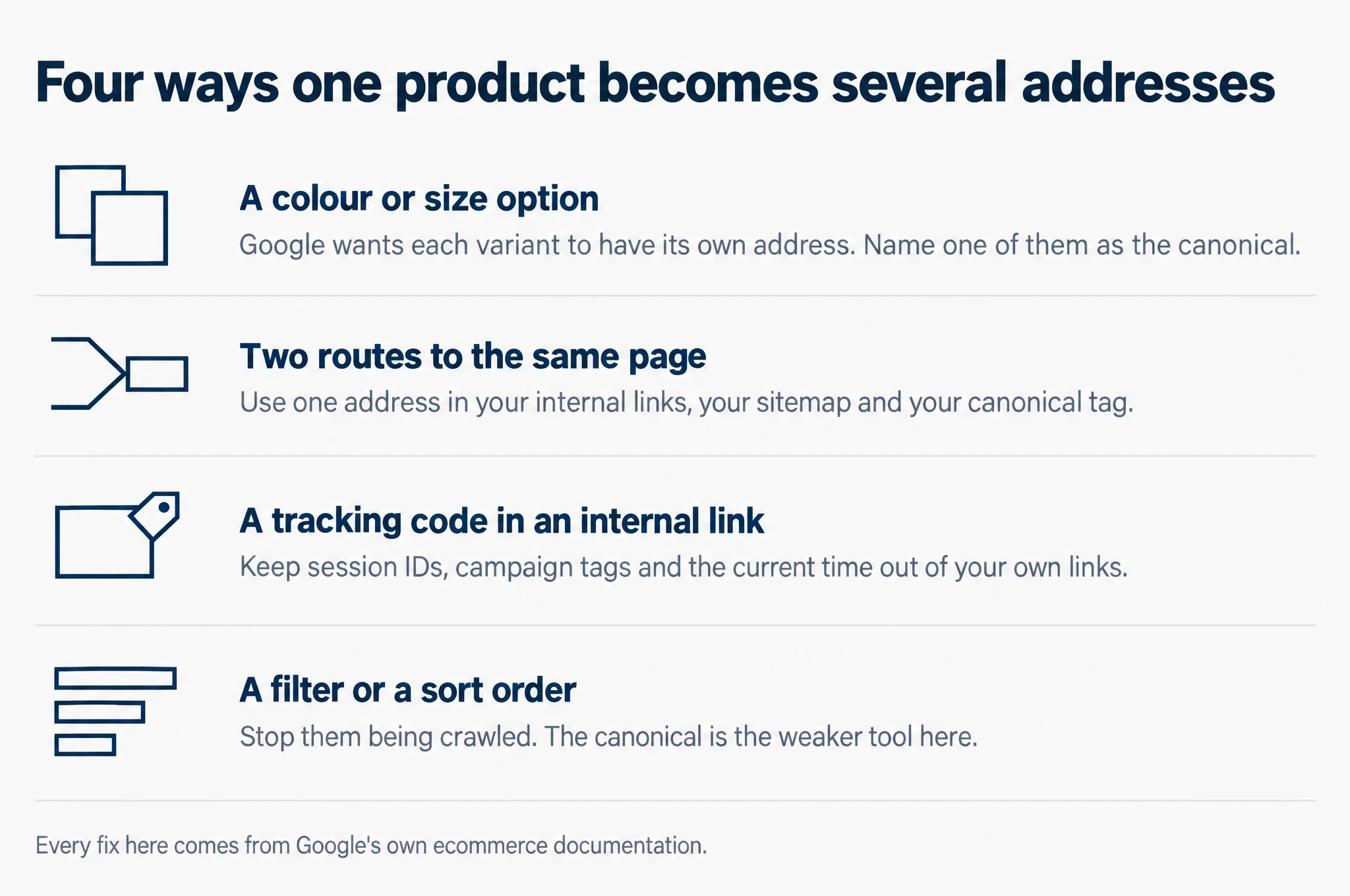
Four ways one product becomes several addresses.
- A colour or size option. Google wants each variant to have its own address. Name one of them as the canonical.
- Two routes to the same page. Use one address in your internal links, your sitemap and your canonical tag.
- A tracking code in an internal link. Keep session IDs, campaign tags and the current time out of your own links.
- A filter or a sort order. Stop them being crawled. The canonical is the weaker tool here.
Every fix here comes from Google’s own ecommerce documentation.
The technical checks that actually move a small catalogue
Three of them. The rest of the red list can wait.
1. Your filters
Filters are the one item on this list that can consume Google’s attention while the shop itself looks perfectly fine. The mechanism is arithmetic. Every filter multiplies against the others, so Google’s guide says the usual implementation “can generate infinite URL spaces”, which harms the site in two ways it names: “Overcrawling”, where crawlers fetch a very large number of filtered addresses before working out they are useless, and “Slower discovery crawls”, because “if crawling is spent on useless URLs, the crawlers have less time to spend on new, useful URLs”.
That second one is the cost. Time Google spends on green mugs under twenty dollars sorted by price is time it does not spend finding the products you added last week.
Where a store does not need its filtered pages in search results, Google’s instruction is to prevent them being crawled, and the first method it lists is robots.txt, the file at the root of your site that tells crawlers where not to go. Its wording is unusually direct: “Oftentimes there’s no good reason to allow crawling of filtered items, as it consumes server resources for no or negligible benefit; instead, allow crawling of just the individual items’ pages along with a dedicated listing page that shows all products without filters applied.”
Worth knowing before somebody sells you the other answer: Google names canonical tags and rel="nofollow" as alternatives for this job and then says they “are generally less effective in the long term than the previously mentioned methods”. The canonical is the right tool for variants. It is the weaker tool for filters.
One more, for whoever maintains the store: when a filter combination returns nothing, the page should return a 404. Google asks for it directly, and adds that you should not redirect those to a general error page but serve the 404 “under the URL where it was encountered”.
2. Whether Google can reach every product
This is step one’s check, done from Google’s side rather than yours. If your category pages do not link to every product, the fallback Google names is a sitemap or a Google Merchant Center feed, because “these sources can include links to pages on a site that a crawler would not otherwise find”.
Treat that as a fallback and not a fix. A sitemap tells Google a page exists. What tells Google the page matters is your internal links, which is the mechanism in the section above.
3. Product structured data, and what it buys you
Structured data is a block of code on your product page that states the price, the stock status and the rest in a form software can read without guessing. Google’s summary of the benefit: “When you add structured data to your product pages, your product information can appear in richer ways in Google Search results (including Google Images and Google Lens). For example, users can see price, availability, review ratings, shipping information, and more right in search results.”
There are two kinds and the difference matters for what you should install. Google splits them by whether people can buy on the page. “Product snippets: For product pages where people can’t directly purchase the product.” “Merchant listings: For pages where customers can purchase products from you.” A shop sells, so a shop wants merchant listings, and Google notes that meeting the merchant listing requirements generally makes the page eligible for product snippets as well.
If you also mark up variants, the class to use is ProductGroup, with the properties variesBy, hasVariant and productGroupID, alongside ordinary Product markup. That is what tells Google the white mug and the green mug are one product in two forms.
The check that is not on your store at all
Everything above is work you do on your own site. This one is not.
If you sell the same stock on a marketplace as well, you have two listings for one product, and only one of them can be first. Take three of your own product names, the exact words on your own packaging. Put each into Google. Then look at who owns the top of the page.
If your own marketplace listing sits above your own product page, that is worth knowing before you spend a month rewriting product descriptions, because no amount of work on your store changes it. It is a decision about where you want the sale to happen, and it is a decision, not a fault.
We are not going to give you a percentage for how often this happens to Singapore stores, because we have not measured it. Treat any figure you are offered for it the same way, and ask what was counted. Three searches on your own product names is a measurement. It takes five minutes, and it is about your store rather than the average of somebody else’s.
Common questions
Do I need to write a thousand words on every category page?
No. None of the Google pages listed at the foot of this piece names a word count for a category page. What those pages do ask for is concrete: a direct link to every product in the group, link text that says what it links to, and content that is useful to the person reading it. Three or four sentences that help a shopper choose between the items in the group is the job. A thousand words written for a crawler is a different job, and not one anybody asked you to do.
My platform built the store. Do I still need to think about URLs?
Mostly not, and Google says so itself. Its URL design guide opens by telling you that “if you’re using an ecommerce platform, you can most likely skip this section, as the platform has most likely already considered these issues for you”. The URL shapes are the platform’s problem. What stays yours is everything the platform cannot decide for you: whether your category pages link to all your products, whether your filters are crawlable, whether tracking codes have crept into your internal links, and whether your product markup matches what is on the page.
Do I need Google Merchant Center as well as structured data?
Not to begin with, but it is not either-or. Google lists three options: add Product structured data to your pages, upload data feeds with Merchant Center and opt into free listings there, or both. It then names the combination that does most: “Providing both structured data on web pages and a Merchant Center feed maximizes your eligibility to experiences and helps Google correctly understand and verify your data.” The two are also joined up in practice. Google notes that product snippets may take pricing from your merchant feed when the page markup does not carry it.
We also sell on Shopee and Lazada. Should we stop?
This piece does not tell you to. It tells you to look, which is a different thing. A marketplace listing that outranks your own product page is still a sale, and for some stores it is the cheaper sale. What you should not do is spend a month optimising a product page while a listing you also control sits above it and you have never noticed. Run the three searches, then decide with the answer in front of you.
What to do this week
- Open one category page and view its source. Search the code for the name of a product you know is in that category. If the name is not there as a link, Google is not reaching that product through this page.
- Add three or four sentences to your two or three busiest category pages. Answer the question the group raises, not the question one product answers.
- Click a filter on your store and look at the address bar. If the filter puts parameters into the address, those filtered addresses exist for Google to find. Whether anything stops it crawling them is the conversation to have with whoever maintains the site.
- Pick one product that comes in several colours or sizes and check its canonical tag. One page should be the product. The rest should point at it, or the parameter should be dropped from the canonical.
- Search three of your own product names. Five minutes, and it tells you whether your real competition is the rest of the web or your own listing somewhere else.
The one check that tells you where to start
Open Google Search Console, go to the Pages report, and look for your category URLs. Look at the impressions column too, which counts the times a page showed up in Google’s results at all. If not one category page is drawing impressions, then step one above is your first job and the technical list can wait. If your category pages are already drawing impressions and your product pages are not, you are at step two. If you expected to find those words in Google Analytics instead, we set out which tool holds which number, because the two are often mixed up.
That one screen tells you which of the three steps above is yours, which is the thing a red list never says. If you want the wider picture of which tools are worth paying for after that, read our guide to SEO tools for Singapore SMBs. The rest of our field notes on building and ranking Singapore SMB sites sit in Notes.
Sources
- Google Search Central, Best practices for ecommerce sites in Google Search
- Google Search Central, Help Google understand your ecommerce website structure
- Google Search Central, Designing a URL structure for ecommerce websites
- Google Search Central, How to specify a canonical URL with rel=”canonical” and other methods
- Google Crawling Infrastructure, Managing crawling of faceted navigation URLs
- Google Search Central, Introduction to Product structured data
- Google Search Central, Product variant structured data (ProductGroup, Product)