For most small teams, Canva costs less per person and covers the everyday work: social posts, simple brochures and short videos. Adobe earns a place for the heavier jobs. Adobe Acrobat handles editing and signing PDFs, the fixed-layout document files a business sends out. Adobe Creative Cloud, Adobe’s set of design apps, handles long print documents and longer edited video.
So the usual answer is not Adobe or Canva. It is Canva for most of the team, plus one Adobe seat for the one person who handles print or PDFs. A seat is one person’s paid place on a plan.
Here is what that looks like in money. These are the prices Canva and Adobe listed on 9 October 2026. They are in US dollars, because that is how both companies list them, and they are before GST (Singapore’s goods and services tax).
- Canva Business: US$250 a year for each person.
- Adobe Acrobat Pro for teams (Adobe’s PDF app): US$287.88 a year for each licence.
- Adobe Creative Cloud Pro for teams (the team plan with all the Adobe Creative Cloud apps, once called All Apps): US$1,199.88 a year for each licence.
Adobe prices its team plans per licence. One licence is one person’s seat.
One thing to know before you read on. We are an authorised Adobe reseller, and we do not sell Canva. So where Canva is the better buy, this page says so.
What each one costs per person
Canva costs less per person. Its paid plans cost much less than Adobe Creative Cloud. Adobe’s PDF-only seat, Acrobat Pro, sits close to Canva’s team price.
Adobe Creative Cloud is Adobe’s set of more than 20 apps, paid for by subscription. Four of them matter for this choice: Photoshop for editing photos, Illustrator for drawn graphics such as logos, InDesign for laying out pages, and Premiere for editing video.
| Plan | What you get | Price a year, per person |
|---|---|---|
| Canva Free | The editor, templates and free content, for one person | US$0 |
| Canva Pro | The paid templates, photos and graphics, for one person only | US$144 |
| Canva Business | Canva for individuals and small teams, with brand and team tools | US$250 |
| Adobe Acrobat Pro for teams | Edit, sign and protect PDFs | US$287.88 |
| Adobe Creative Cloud Pro for teams | Photoshop, Illustrator, InDesign, Premiere, Acrobat and more | US$1,199.88 |
Canva Pro is not a team plan. Canva says only one person can use a Canva Pro account. For a team, the plan to price is Canva Business.
Your Adobe price in Singapore may differ. The Adobe figures here are Adobe’s US-dollar list prices. They do not include tax, and they vary by country. Your own Adobe account shows the price for your country. So treat the Adobe figures as a guide, and get your own quote before you budget.
Both Adobe team plans are yearly contracts. You can pay for the year up front, or monthly: US$99.99 a month for Adobe Creative Cloud Pro for teams, and US$23.99 a month for Acrobat Pro for teams. Both monthly options still commit you for the full year.
There is a higher team plan too, Adobe Creative Cloud Pro Plus for teams. Adobe does not list a price for it. It asks buyers to contact Adobe or a reseller.
Which tool fits each job a small team does
The fair way to compare them is by the work your team actually makes.
| The job | Start with | Why |
|---|---|---|
| Social media posts | Canva | A drag-and-drop editor, where you move pictures and text into place with the mouse. Even the free plan has more than 1.6 million templates, ready-made designs you change to suit you. So people who are not designers can make a post. |
| A flyer or a simple brochure | Canva, on a paid plan | Paid Canva plans can save a CMYK file, the colour format printers use. The print section below explains it. |
| A long printed document, like a catalogue | Adobe InDesign, or Affinity, a free design app that Canva owns | Both are page-layout apps. A page-layout app arranges text and pictures across a document of many pages. |
| Editing PDFs, getting them signed on screen (e-signatures), and blacking out private details (redacting) | Adobe Acrobat Pro | Acrobat Pro is Adobe’s PDF app, and these are its everyday jobs. |
| A short video for social media | Canva | Canva has its own video editor, in the same tool the team uses for posts. |
| Longer edited video | Adobe Premiere Pro | Premiere Pro is Adobe’s video app, and it comes in Adobe Creative Cloud Pro for teams. |
| A logo you want to register as a trademark | Either, with care | What matters is what the logo is made from. See below. |
Canva is the better start for most of the jobs that fill a small team’s week. So most of your team probably does not need an Adobe seat.
Is Canva good enough for printing?
For flyers, name cards and simple brochures sent to a commercial printer, yes, on a paid plan.
The key is the colour format. Screens build colour from light, in a format called RGB. Printers build colour by layering cyan, magenta, yellow and black ink, in a format called CMYK. The two formats can show a different range of colours, so a bright colour on screen may not come out the same on paper. Designing in CMYK helps the printed colours match what you saw on screen.
Canva lets you design with CMYK colours and download a CMYK file. That download is on every paid Canva plan, including Pro and Business.
Canva Free does not include it. If your team prints anything, that alone is a reason to pay for Canva.
The harder cases are long documents, like a catalogue or an annual report, and print shops that send you their own file checklist. For those, we would move the job to a page-layout app. Adobe’s is InDesign, which comes in Adobe Creative Cloud Pro for teams. Canva’s own answer is Affinity, which is now free (more on that below).
Our advice to our own clients: ask your printer what file they want before anyone starts designing, not after.
Read this as words instead
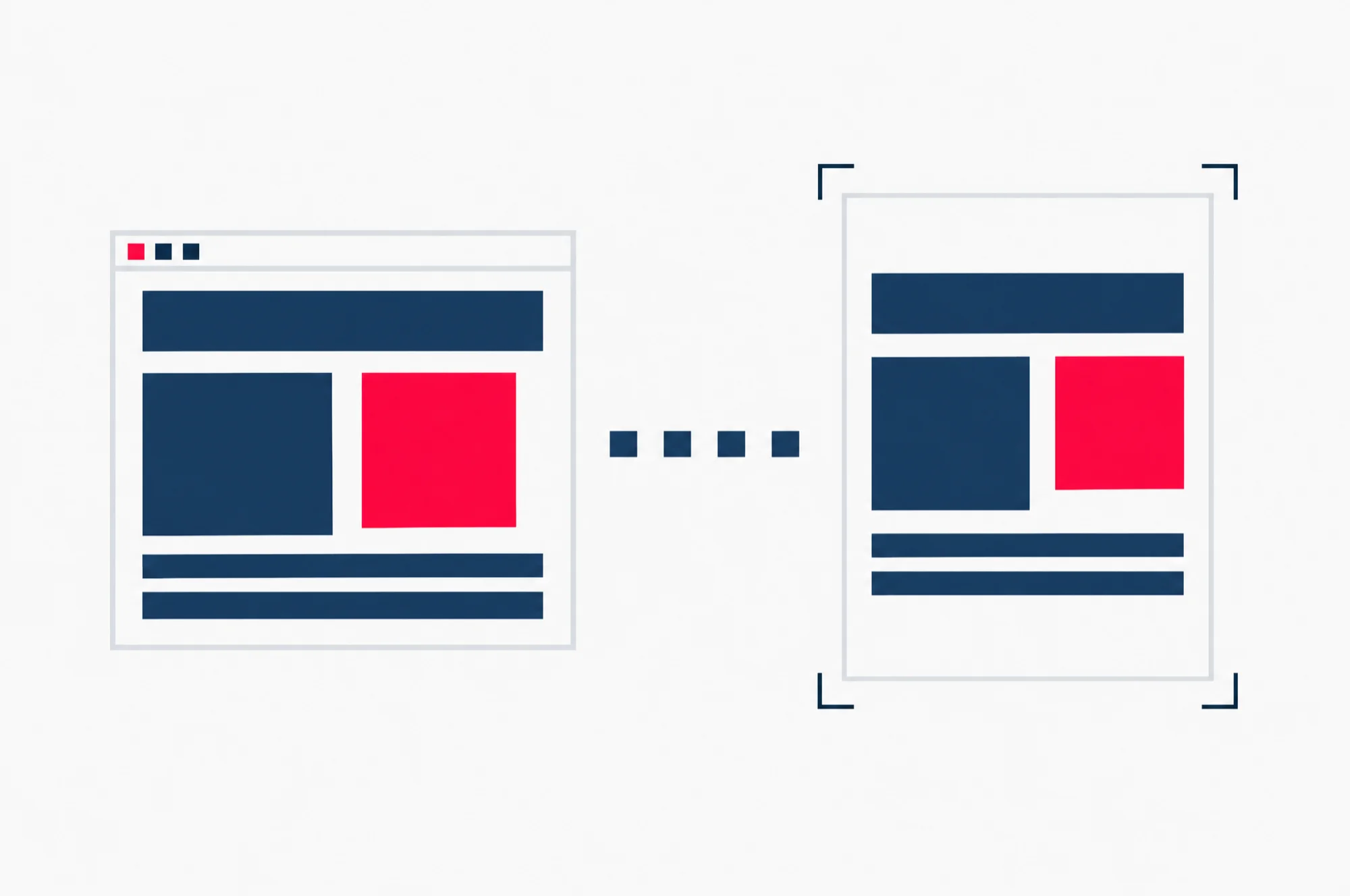
The same simple design shown on a screen, then on a printed sheet with crop marks at its corners: the move from screen colours to a file a printer can use.
Who owns what you make
Neither company claims to own what you make. The difference is the ready-made content inside a Canva design, and it matters most for a logo.
Adobe says you own your work. Its general terms say that you keep all rights and ownership of your content, and that Adobe claims no ownership of it.
Canva says it never owns your designs, with one limit. You own what you upload, such as your own photos and files. But a Canva design can also hold Canva’s templates, photos and graphics. Those stay under Canva’s licence terms, and they can restrict what you do with the design.
On a Canva team, it also matters who runs the account. The team owner or an admin can control, delete or hand over the designs you make on the team account. So set up the team account under the business, not under one person.
For a logo, that limit decides it. Canva’s logo templates can be used by anyone. So Canva says your rights to a logo made from a template are not exclusive, and you cannot register it as a trademark. A trademark is a legal right to be the only business using that mark for your goods or services.
Canva does say you can register a logo you design from scratch in Canva. You can use its simple lines and shapes and its fonts. You cannot use its stock photos or graphics, the ready-made pictures Canva supplies, because other Canva users can use the same ones. You can also upload a logo you made elsewhere.
If the logo matters to the business, start it from a blank page, not a template.
Registering a trademark in Singapore goes through IPOS, the Intellectual Property Office of Singapore. The application fee is S$280 per class when you use IPOS’s own pre-approved list of goods and services. A class is one category of goods or services the mark covers.
One more ownership point, if someone outside your company designs your logo. Copyright is the legal right to decide who may copy a creative work. Under Singapore’s Copyright Act 2021, the person who makes a work is by default its first owner. Work made by an employee in the course of their job has its own rule. The Act also sets out how copyright is transferred. So when you pay a freelancer for a logo, put in writing that the copyright passes to your business. For anything that depends on it, ask a lawyer.
Canva or Adobe Express?
Adobe Express is Adobe’s design app for the web and mobile. Like Canva, you start from a template, and Adobe offers thousands of them. Which one fits depends on what the rest of your team uses.
If nobody on the team uses Adobe Creative Cloud, Canva is the simpler choice. There is nothing on the Adobe side for Express to connect to, and Canva Business is priced in the table above.
If your designer already works in Photoshop or Illustrator, look at Express. Adobe built it to work with those apps. With Adobe Express for teams, the images and graphics your designer makes in Photoshop and Illustrator can be shared with the rest of the team. They stay up to date across the apps.
Express is also part of Adobe Creative Cloud Pro for teams. Anyone on that plan gets the full version of Express on the web and on mobile, at no extra cost.
Adobe sells Express to businesses on its own too. Adobe Express for teams is the plan it describes for small and midsize organisations. Check Adobe’s Singapore Express page for its current price before you compare it with Canva Business.
What free Affinity changes
Canva owns Affinity, a desktop design app for Mac and Windows. Canva has made Affinity completely free for individuals.
Affinity is one app for design, photo editing and page layout. It exports PDFs with bleed and crop marks. Bleed is extra artwork past the edge of the page, so nothing white shows when the printer trims it. Crop marks show the printer where to cut.
So a Canva team now has a free page-layout app for print work. A small team that prints brochures and catalogues may not need an Adobe Creative Cloud seat at all. Canva for the everyday work, plus free Affinity for the print jobs, can cover it.
Canva’s plan is to keep the core tools free and charge for the extras, like paid stock content, team tools and AI tools. So the free Canva plan includes Affinity, and the paid Canva plans add Affinity’s AI features.
Affinity has one limit to know before you switch. It can open IDML files. IDML is a file type that InDesign can save a page layout in. Some advanced formatting may need fixing by hand after it opens. But Affinity cannot save back to InDesign’s formats. If your printer or your agency works in InDesign files, that matters.
Affinity makes PDFs for print. Sending a PDF out for e-signature and tracking who has signed is still a job for Acrobat.
Which Adobe plan to buy, when you need one
Most small teams that need Adobe need one of two plans. Pick by the job, not by the brand.
Buy Acrobat Pro for teams when the need is PDFs. That covers editing PDFs, sending them out for e-signature and tracking who has signed, turning scans into searchable text, converting PDFs to and from Word, Excel and PowerPoint, permanently blacking out private details, and adding passwords. At US$287.88 a year per licence, it costs about a quarter of Adobe Creative Cloud Pro for teams.
Buy Adobe Creative Cloud Pro for teams when the need is design or video. It is the plan with Photoshop, Illustrator, InDesign, Premiere and Acrobat, plus the full version of Adobe Express. At US$1,199.88 a year per licence, buy it only for the person who uses those apps every week.
Acrobat is already part of Adobe Creative Cloud Pro for teams. So the person on that plan does not need a separate Acrobat seat.
Adobe Creative Cloud Pro Plus for teams is the step above. Adobe gives its price only on request. So ask your reseller what it adds for your team before you consider it.
When a team needs both
A team needs both when its everyday work is quick, on-screen content, and one person also produces print files, PDFs or longer video.
Here is what a team of five would pay in a year, from the list prices above, before tax.
| Set-up | Yearly cost |
|---|---|
| All five on Canva Business | US$1,250 |
| All five on Canva Business, plus one Acrobat Pro for teams seat | US$1,537.88 |
| Four on Canva Business, and the designer on Adobe Creative Cloud Pro for teams | US$2,199.88 |
| All five on Adobe Creative Cloud Pro for teams | US$5,999.40 |
The last row is how teams overspend. Paying for Adobe Creative Cloud for people who only make social posts costs almost five times what Canva Business costs for the same five people.
For most teams, the middle two rows are the right answer. Which one depends on whether your one specialist needs PDFs only, or all of Adobe Creative Cloud.
Can Canva replace Photoshop, Illustrator or Acrobat?
For everyday posts and simple print, a paid Canva plan does the job without Photoshop or Illustrator. For Acrobat’s jobs, we would not try. Editing PDFs, sending them for e-signature, redacting and password protection are what Acrobat Pro is for.
Is Canva Pro enough for a team of three?
No. Only one person can use a Canva Pro account. A team of three needs Canva Business, priced per person.
Do I need Adobe if I only print a few flyers a year?
Probably not. A paid Canva plan exports CMYK files for print. For anything longer, the free Affinity app does page layout. Check with your printer what file they want first.
Work out the right mix for your team
The cheapest set-up is the one where each person has the tool for the work they actually do. Nobody pays for apps they never open.
If you want help working that out, book a short call with us. We go through who on your team makes what, and which tool each person needs. Where Adobe fits, we tell you which plan to buy and get you a quote. Where Canva covers it, we will say so.