When your website will not load, first find out whether it is down for everyone or only for you. Turn off Wi-Fi on your phone and open the site on mobile data. Then type the address into a down checker, a free website that tries to load your site from its own servers, well away from your office.
If the site opens on your phone and in the checker, the site is fine. The problem is your office connection or your computer. If it fails everywhere, the site really is down. That is website downtime: the time your site will not load for anyone. The rest of this page walks its usual causes, in the order we would check them.
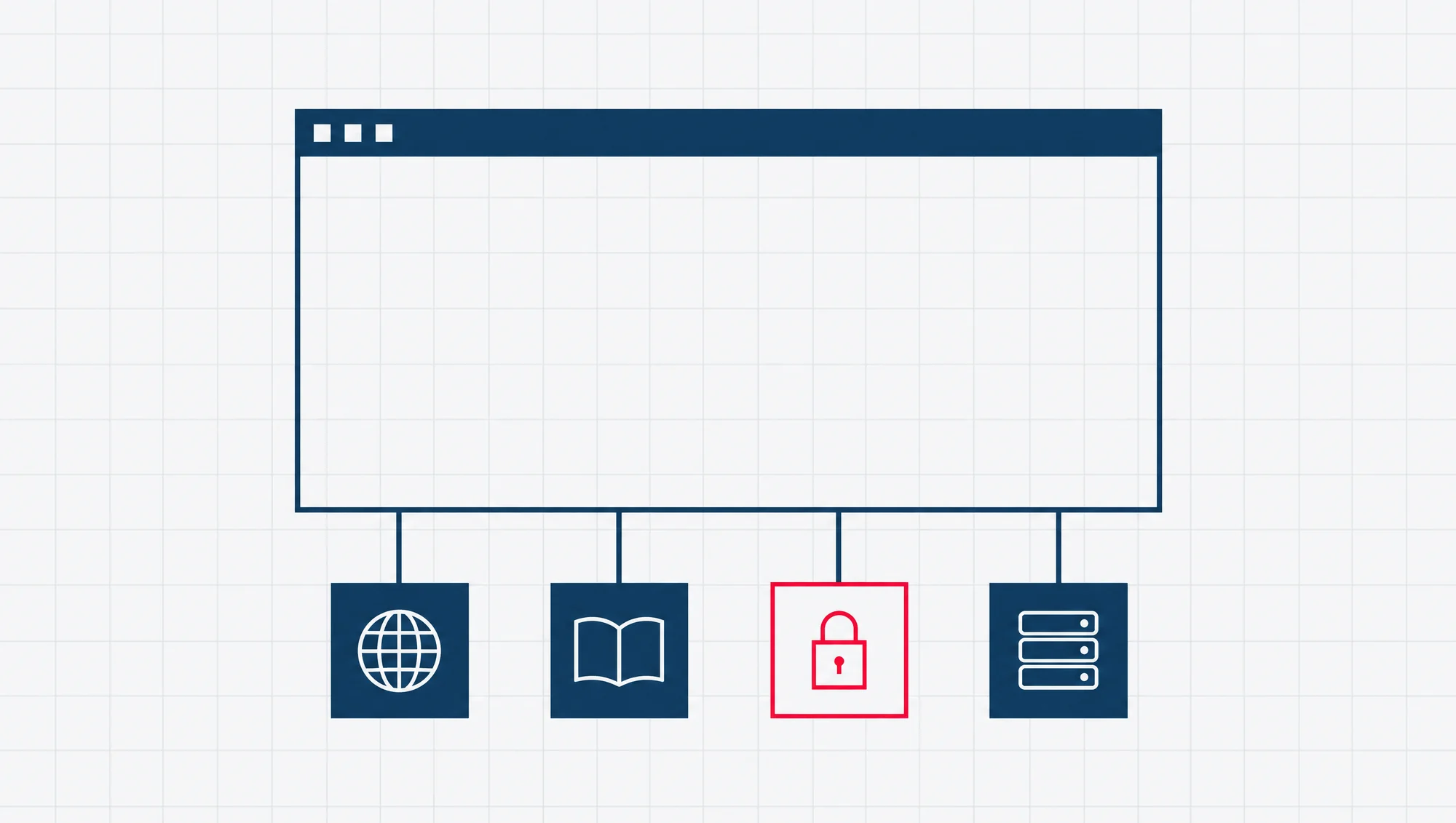
One thing makes this harder than it sounds. A business website rests on four separate things. The domain name is your address. The DNS is the address book that tells browsers where that address lives. The hosting is the computer that stores the site. The fourth is the website itself. A small business often has a different company on each, and an agency from years ago may still hold one of them. So for each cause below, we say what you will see, who holds that part, and what to tell them when you call.
Is the website down for everyone, or just you?
A few quick checks tell you which kind of problem you have. Do them in this order:
- Check the address and reload. A wrong letter in the address looks exactly like a dead site.
- Open a different website. If other sites fail too, the problem is your internet connection, not your website.
- Try your phone on mobile data. This takes your office network out of the test.
- Use a down checker. Search for “down checker” and enter your address. The checker loads your site from somewhere else and tells you whether it answered.
Google’s own Chrome help gives the same first test: check whether the problem hits one website or many. If many fail, it says to check your connection, restart your modem and router, or contact your internet service provider.
If the site loads everywhere except your office, call your internet provider, or whoever looks after your office network. Your website does not need fixing.
If the site fails everywhere, read on.
Before you call anyone, find out who holds what
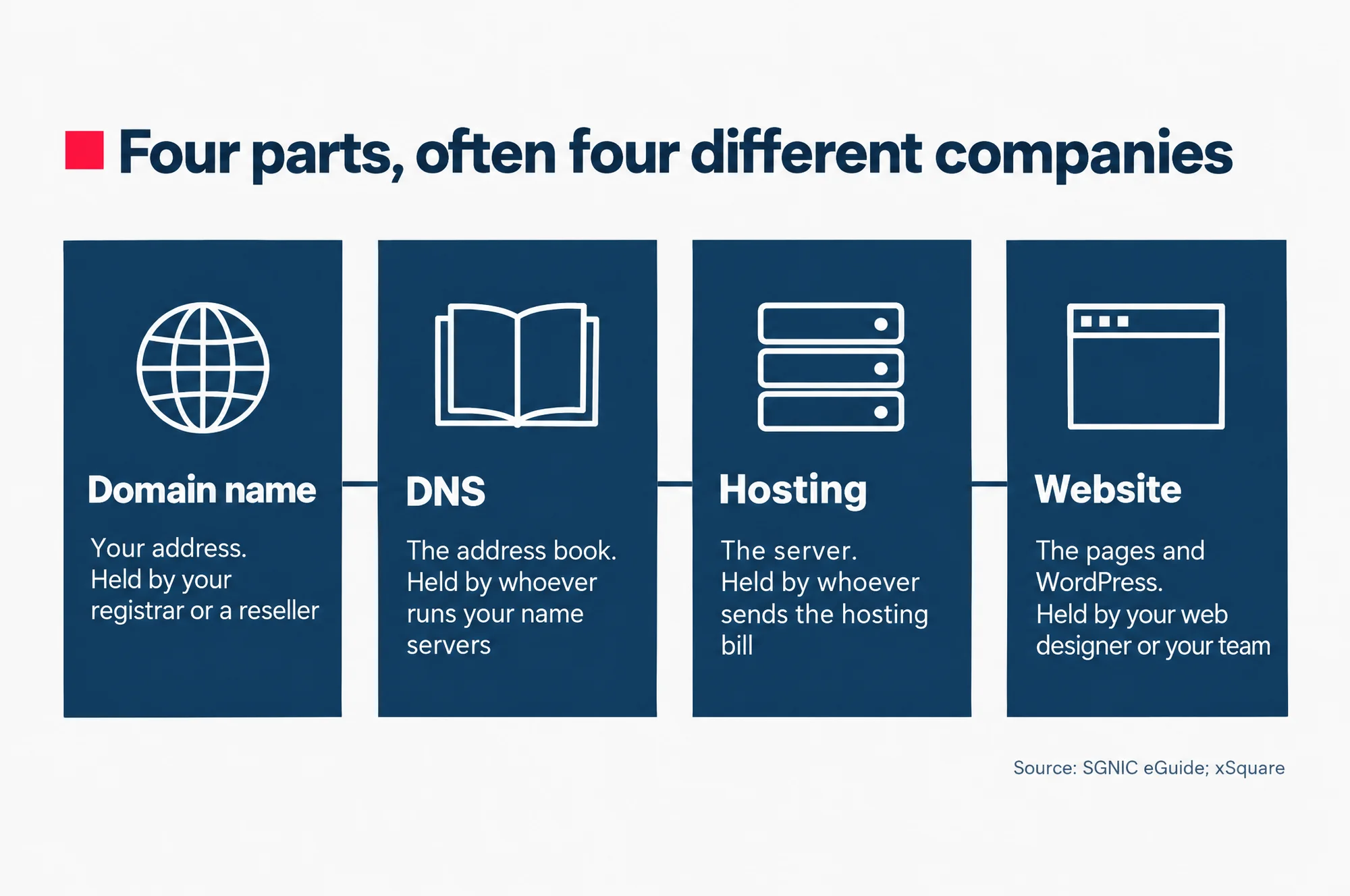
The four parts of a website do different jobs, and each one can fail on its own:
- Domain name
- Your address, such as yourcompany.com.sg. You register it for a set period, and renew it, through a registrar, a company that sells domain names, or through a reseller such as your web designer or host.
- DNS (Domain Name System)
- The address book for your domain. It tells the world which computer holds your website and which one handles your email. Name servers are the computers that keep this address book. The ones listed for your domain show which company runs it.
- Hosting
- The computer, called a server, that stores your website and sends it to every visitor. Whoever sends you the hosting bill holds this part.
- The website itself
- The software and pages that run on the hosting. For many small businesses this is WordPress, looked after by a web designer or by someone in the office.
Read this as words instead
Four parts, often four different companies
- Domain name: Your address. Held by your registrar or a reseller
- DNS: The address book. Held by whoever runs your name servers
- Hosting: The server. Held by whoever sends the hosting bill
- Website: The pages and WordPress. Held by your web designer or your team
Source: SGNIC eGuide; xSquare
For a .sg domain, you can see who holds it without logging in anywhere. SGNIC, the registry that runs every .sg name, has a public lookup on its website called WHOIS. You type in a domain and it shows that domain’s record. The record names the registrant, the person or company the domain belongs to. It names the registrar. It names the administrative contact and the technical contact, the people listed to deal with the domain, and gives the technical contact’s email. It also shows the expiry date and the name servers.
Look up your own domain today, even if the site is fine. SGNIC’s own guide warns that the owner of a company is not necessarily the holder of its domain. It advises registering the domain under your own or your company’s name, not under a hosting company or an employee, so the renewal notices reach you and not someone “who may leave your company”.
If the name on the record is a staff member who left, or the agency that built your site years ago, you may have found why a renewal was missed. If your domain ends in .com or another ending that is not .sg, ask the company you pay for the domain who is on its record.
For how .sg names work and who can register one, see our practical guide to .sg domains and hosting.
1. Has the domain name expired?
Check this first, because the WHOIS lookup above already shows the expiry date. An expired domain takes the website and the email down together.
What it looks like. The browser says it cannot find the site at all, as if the address does not exist. In Chrome this is the error ERR_NAME_NOT_RESOLVED. Chrome’s help explains it: the web address does not exist, or now has a different IP address. An IP address is the number that tells browsers which server to reach. Email to your company addresses stops arriving at about the same time. The WHOIS lookup shows an expiry date that has passed.
What happens to a .sg name. SGNIC’s rules are plain:
| When | What happened |
|---|---|
| Expiry date | Not renewed on or before this date: the name is suspended, so the website and email stop working |
| Days 1 to 30 | Post Expiry Grace Period: renew through your registrar at the normal fee |
| Days 31 to 60 | Deletion Escrow Period: still suspended; renewal costs a Reinstatement Fee on top |
| After day 60 | Deleted from the registry and open for anyone to register |
- For the first 30 days after the expiry date, the name is in a Post Expiry Grace Period. It is suspended and stops working for the website and email. You can still renew it through your registrar, and the new expiry date is one year from the original one.
- The next 30 days are the Deletion Escrow Period. The name is still suspended. You can still renew it, but you pay a Reinstatement Fee, an extra charge to bring the name back, on top of the renewal fee.
- If it is not renewed by then, SGNIC deletes the name, and anyone can register it.
So a .sg site stops working once its expiry date passes, not 30 days later. The 30 days are your window to get it back at the normal price.
What happens to a .com name. For .com and other generic endings, the rules come from ICANN, the body in charge of those names. ICANN requires the registrar to send at least two renewal reminders before expiry. One comes about a month before, and one about a week before. They go to the registrant email, the address on the domain’s record. Some registrars then give a grace period of 1 to 45 days, in which you can still renew. Last, ICANN requires the registrar to cut off the domain’s DNS for up to 8 days before deleting the name. That stops the website and email working, as a final warning.
Who to call. The company you pay for the domain. If you do not know who that is, the WHOIS record names the registrar, and your web designer or host may be the reseller in between.
What to tell them. “Our domain [name] has expired and the website and email are down. Please renew it today, and change the registrant email to [an address you read] so the next reminder reaches us.”
2. Did someone change the DNS?
If the domain is paid up, the address book may now point to the wrong place.
Suspect this when the site stopped soon after a change. Someone moved the website to a new host, set up new company email, or “tidied up” the domain settings. One wrong or missing line in the DNS can send visitors to an empty server, an old copy of your site, or nowhere at all.
What it looks like. The site vanished soon after a change you remember, or one somebody else made. You may see the same “cannot find” error as an expired domain, or a page from a host you no longer use. Email may still work if only the website’s line changed.
Who to call. Whoever holds your name servers. The WHOIS lookup lists them, and the name in them often gives away the company: your registrar, your host, or a DNS service your web designer set up.
What to tell them. “Our website stopped loading on [day]. What changed in the DNS for [domain] around then, and can you put the website’s DNS record (its line in the address book) back to point at our current host?” Then tell your host the same day, so they can confirm which address the record should point to.
3. Has the security certificate run out?
This cause looks alarming, yet the site itself is running fine. The browser simply will not show it.
What it looks like. Instead of your page, a full-screen warning that says “Your connection is not private”, with a code underneath such as NET::ERR_CERT_DATE_INVALID. That code points to a problem with the certificate’s dates. Chrome lists the warning under its certificate errors.
The padlock in the address bar comes from the site’s security certificate. This is a small file on the hosting that lets the browser connect to your site privately. You may hear it called an SSL or TLS certificate. Every certificate has an end date.
Check one thing first. Chrome’s own code describes the date error as a certificate that, by the browser’s clock, has expired or is not yet valid, and one possible reason it gives is that the clock is wrong. Chrome’s help says the same: if the date and time on your computer or phone are wrong, you can get this error, and you fix it by correcting the clock. So if only one device shows the warning, check its date first. If every device and the down checker show it, the certificate has most likely expired.
Why this will happen more often. The CA/Browser Forum, the group of certificate issuers and browser makers that sets the rules for these certificates, voted to cut how long a certificate can last. Apple, Google, Microsoft and Mozilla all voted yes. The cut comes in steps from March 2026 to March 2029:
| Certificates issued | Longest a certificate can last (days) |
|---|---|
| Before 15 Mar 2026 | 398 days |
| From 15 Mar 2026 | 200 days |
| From 15 Mar 2027 | 100 days |
| From 15 Mar 2029 | 47 days |
- Before 15 March 2026: up to 398 days.
- From 15 March 2026: up to 200 days.
- From 15 March 2027: up to 100 days.
- From 15 March 2029: up to 47 days.
If your certificate renews itself through your host, this changes little for you. If someone installs it by hand once a year, that habit no longer fits. A certificate issued today cannot last a year.
Who to call. Your host, or whoever installed the certificate. That is often the same company.
What to tell them. “Visitors see ‘Your connection is not private’ on [domain] from every device. Please renew the certificate and set it to renew automatically.”
4. Is the hosting plan suspended or overloaded?
The domain is fine and so is the certificate, but the computer that holds your website is not answering properly.
A suspended account. A host can switch off your hosting account, and then every visitor sees the host’s page instead of yours. cPanel, a hosting control panel (the screens where a hosting account is managed), does exactly this: it sends all web traffic for a suspended account to an “Account Suspended” page. Hosts suspend accounts on their own terms. An unpaid invoice is the first thing to check, especially if the card on file has expired or the bills go to someone who left.
An overloaded or broken server. You may see a plain error page with a three-digit number. That number is a status code, the server’s short reply on how your visit went. Two you may meet:
- 503 Service Unavailable means the server is not ready to handle the request. The usual causes are maintenance or a server that is overloaded.
- 500 Internal Server Error is a general “something went wrong on the server” with no more detail. If your site runs WordPress, read cause 5 below as well.
Who to call. Whoever sends you the hosting bill.
What to tell them. “Our site [domain] shows [the exact message or error number] since [time]. Is the account active and paid up, and is the server up?” A screenshot saves a round of questions.
If the same host keeps failing you, our guide to web hosting for a Singapore small business sets out what a site really needs from a host, and when moving is worth the disruption.
5. Did a WordPress update break the site?
On most sites, WordPress updates itself. Its own documentation says automatic updates are on by default on most sites, and in some cases plugins (add-ons that give the site extra features) and themes (the site’s design) update automatically too. Most updates pass without anyone noticing. Now and then, a plugin that does not work with the new code takes the site down with it.
What it looks like. A short message on a plain page saying the site is having technical difficulties. WordPress calls this a fatal error: the code hit a problem it could not get past. Its documentation says this is often caused by a plugin, a theme or custom code.
When it happens, WordPress also emails the site’s administrator address with a special link. That is the email address saved in WordPress for the person who runs the site. That link opens Recovery Mode, which pauses the faulty plugin or theme for the person logging in, so they can switch it off without affecting what visitors see.
The catch is where that email goes. It goes to the administrator address saved in WordPress. If that is still your old agency’s address, the link went to them. WordPress also warns the email can land in spam, or never arrive, if your server’s mail is not trusted.
Who to call. Whoever maintains your WordPress site: your web designer, or the person in the office who installs plugins.
What to tell them. “The site shows an error since [time]. Was anything updated? Please use Recovery Mode or switch off the plugin that failed, then tell us what needs replacing.” If the email never arrived, WordPress’s own advice is to contact your host’s support, who may be able to help.
Our guide to what a managed WordPress hosting plan covers in Singapore sets out who fixes the site when an update breaks it, and what stays your job.
6. Has the website been hacked?
A hacked site does not always go down. It can stay up and start serving someone else’s content.
What it looks like. Google’s help for site owners lists the signs:
- Google search results show a label beside your site, such as “This site may be hacked” or “This site may harm your computer”.
- The browser shows a warning page before your site opens.
- Your site has pages you did not write. To find them, Google suggests a search that starts with site:yourdomain.com, which shows only pages from your own site. Add spam words you would never use, such as drug or luxury brand names, or “loans”.
One alert worth knowing about. On 24 September 2026, the Cyber Security Agency of Singapore (CSA) warned that attackers were exploiting a high-severity flaw in WordPress, listed as CVE-2026-87902, the public ID for this flaw. It affects WordPress versions before 7.1.2. The CSA’s advice was to update immediately. If your site runs an older version and is now behaving oddly, say so when you call.
Who to call. Your web designer or website maintainer first, and your host beside them, because the clean-up touches both the website and the server.
What to tell them. “Google is showing [the label you saw] for [domain]. Please clean the site, close the hole the attacker used, and update WordPress and every plugin.” Do not delete files yourself first. Leave the clean-up to them, so nothing they need to trace the attack is lost.
Once the site is clean, the owner of its Google Search Console account (Google’s free tool for site owners) asks Google for a review from the Security Issues report, the page in Search Console that lists what Google found. Google says to request it only when the problem is truly fixed.
Keeping WordPress and its plugins updated, and scanning for malware (software planted to do harm), is ongoing work. Our Website Care plans for WordPress sites do both for you.
What you see, and who to call
| What you see | Likely cause | Who to call |
|---|---|---|
| Works on your phone’s mobile data, fails in the office | Your office connection | Your internet provider |
| “Cannot find” error, and company email stops too | Domain expired | The company you pay for the domain |
| Gone, or an old site, soon after a change | DNS change | Whoever holds your name servers |
| “Your connection is not private” on every device | Certificate expired | Your host, or whoever installed the certificate |
| “Account Suspended” page, or a 503 error | Hosting suspended or overloaded | Whoever sends the hosting bill |
| A “technical difficulties” message | A WordPress update or plugin | Whoever maintains your WordPress site |
| A “may be hacked” label, a browser warning, or pages you did not write | Hacked site | Your web designer and your host |
Once the site is back
Fix the cause that is hardest to see coming. Look up your domain’s record and check whose name and email are on it. Then check which email address your WordPress site sends its warnings to. If either belongs to someone who no longer works with you, change it today. The next reminder, or the next Recovery Mode link, will then reach someone who can act on it.
If you would rather the next spell of website downtime were someone else’s job to notice and fix, read our guide to what a website maintenance service in Singapore buys. It sets out what a monthly plan covers, what it costs, and what stays with your host.