The short answer is no. To be eligible to be shown as a link in Google’s AI features, your page has to be indexed, which means Google has added it to the list of pages it can show in search, and allowed to show a snippet, the short lines of text that sit under a result. Those are the same two conditions every ordinary blue link already depends on. Google says it on its own documentation page, and the sentence after it settles the question.
Google’s own page puts the rule this way. The two features it names are AI Overviews, a summary Google writes for a search, and AI Mode, a mode that answers with a generated response while it looks for supporting pages.
To be eligible to be shown as a supporting link in AI Overviews or AI Mode, a page must be indexed and eligible to be shown in Google Search with a snippet, fulfilling the Search technical requirements.
That is why the phrase AI search visibility is worth being careful with. It sounds like something new to go and buy. What it covers is the old work under a new name, plus one new report in Search Console, Google’s own tool for seeing how a site does in search, that shows whether your links were shown inside Google’s AI features at all.
One name for the whole subject: AI search visibility. Google’s own pages call the same thing AI features, and its Search Console setting calls them Search generative AI features, which is why both phrases turn up in the quotes below.
- AI Overviews
- The feature that shows a summary only when Google’s systems judge that summary adds to the classic results, so on many searches it does not appear at all.
- AI Mode
- The mode that looks for supporting pages while it writes its answer. Google says AI Mode and AI Overviews may use different models and techniques, so the two do not show the same links.
- AEO, short for answer engine optimization
- A term Google says people use for work focused on improving visibility in AI search experiences.
- GEO, short for generative engine optimization
- The same aim under the newer of the two names.
- The Search generative AI performance report
- The new Search Console report for Google’s AI features. It covers AI Overviews and AI Mode, and it counts impressions, which Google defines as how many times links to your site were shown to someone inside one.
What Google says a page needs before it can show in an AI answer
The sentence that follows the quote above says there are no additional technical requirements. There is no third sentence further down that adds a condition. On that page, that is the whole technical rule.
What Google does add is an honest caveat. Its page says a page that meets all requirements, best practices and the policies still may not be crawled, indexed or served. Meeting the rule puts your page in the running. It does not book a place.
Google’s longer guide, the one linked below, adds one more condition, and most sites already meet it. It says a site must be included in Search generative AI features in Search Console before it is eligible to be displayed there. That is the default, so a site is in unless somebody has gone looking for the setting and changed it.
The ordinary list still stands too. Google’s page keeps pointing at the same things: crawling allowed in robots.txt, the file that tells search engines which pages they may fetch, pages reachable through your own internal links, a page that loads properly for people, your important content available as text rather than only as a picture, and structured data, which is the set of labels you put in a page’s code to describe what that page shows.
If you want the underlying rule rather than our summary of it, Google’s page on AI features and your website is short, and its guide on optimizing for generative AI features is the long version.
The three things Google’s own guide says you can ignore
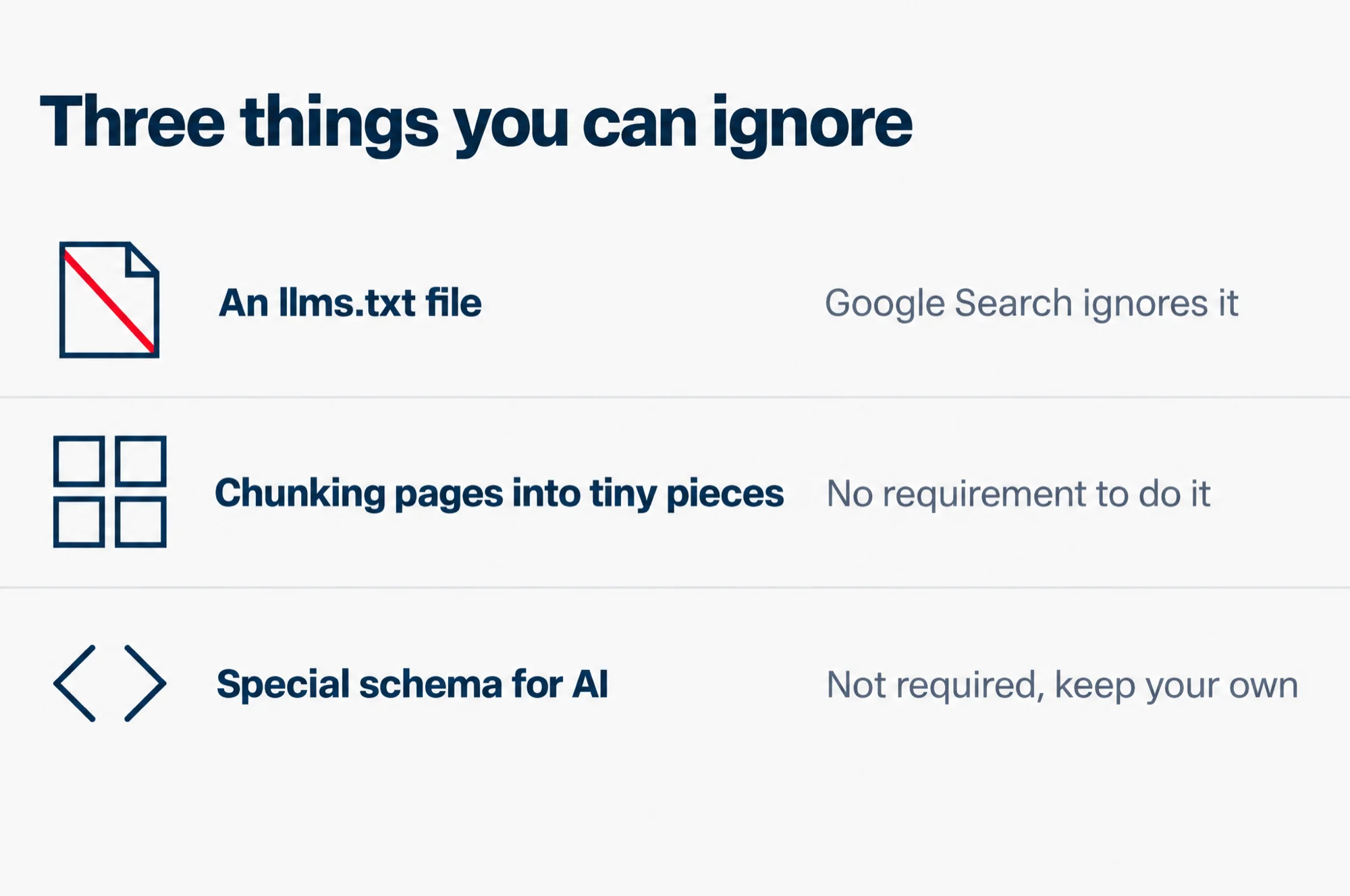
Three items come up again and again when people ask what to do about AI search visibility. Google’s guide, published in May 2026, names each one and says it can be skipped. Two words in the table need a line first: schema is the labels you put in a page’s code to describe what that page shows, and rich results are the enhanced entries Google can show under a result.
| What you have been told to add | What Google’s guide says |
|---|---|
| An llms.txt file, the AI text file Google’s guide names | Google Search does not use it, so it will neither help nor hurt |
| “Chunking”, splitting pages into tiny pieces | No requirement to do it |
| Special schema.org markup written for AI | Not required for AI search, and keep your existing structured data for rich results |
The llms.txt line is the one worth reading in full, because somebody will be selling you the file. Google says you do not need to create new machine readable files, AI text files, markup or Markdown to appear in Google Search, including its generative AI features, because Google Search itself does not use them. The next sentence settles the argument for anyone who has already paid for one: making the file will neither harm nor help the site’s visibility or rankings, because Google ignores it.
On breaking content into small pieces, Google’s line is short. There is no requirement to break your content into tiny pieces for AI to better understand it.
On schema, Google’s documentation puts it twice. Structured data is not required for generative AI search, and there is no special schema.org markup you need to add. Google’s next sentence adds the other half of the answer, and that half is where schema still earns its place. Google says it is a good idea to keep using structured data as part of an overall SEO strategy, because it helps a page become eligible for rich results on Google Search. So the instruction is short: keep the structured data you already have, and do not write new schema for Google’s AI features. Google’s other pages also ask that the structured data on a page match the text a visitor can see.
Two more items sit in the same list. Rewriting your copy so it reads well only to a machine: Google says you do not need to write in a specific way just for generative AI search, and gives the reason plainly, that its systems understand synonyms and general meanings, so they can match a page to a question even when the page does not use the same words. And paying to have your brand mentioned across the web: Google calls these inauthentic mentions and groups them with the tactics you can ignore.
Read this as words instead
Three things you can ignore
- An llms.txt file: Google Search ignores it
- Chunking pages into tiny pieces: No requirement to do it
- Special schema for AI: Not required, keep your own
Source: Google Search Central, guide on optimizing for generative AI features
GEO and AEO, and what Google calls them
From Google Search’s perspective, optimizing for generative AI search is optimizing for the search experience, and thus still SEO.
Google’s guide does not ignore the two names. It defines them, then says what they are in its own frame. If you are considering third-party AEO or GEO advice or services, it sends you to its own guidance on evaluating third-party SEO advice instead.
What that means for a business owner is not that the work is fake. It means the work is the same work, on the same pages, with the same fundamentals, under a different name on the invoice. If somebody quotes you for AI search visibility work, the fair question is which page of yours they will change and what they will check afterwards to prove it worked. Our SEO service page sets out the monthly work we do for clients, including the Search Console reporting this piece is about.
There is one part of the idea that describes something real, and it is the part worth keeping. Google spends most of the length of that guide on content that is not commodity, meaning writing with a point of view that goes past common knowledge. Its example of the opposite is a post titled 7 Tips for First-Time Homebuyers, because anyone could have written that one.
One page per prompt is the trap
Making a separate page for every phrasing someone might type is the tactic Google has warned against by name.
The guide’s own sentence is worth having in front of you. Creating separate content for every possible variation of how people might search, doing so primarily to manipulate rankings or generative AI responses in Google Search, violates Google’s scaled content abuse spam policy.
The rule is narrower than never write another page. The page has to be built mainly to move results. A page you wrote because a real customer asked a real question is not that, and Google’s wording is careful about it.
Google gives the reason in the same breath, and it is the useful part: a high quantity of pages does not make a website higher quality or more relevant to users. Google’s own spam policy page defines scaled content abuse in one line: many pages generated for the main purpose of manipulating search rankings rather than helping people.
What Google changed between May and August 2026
If you want to know why this is in everyone’s mouth now, the dates are short.
- Google published the guide on optimizing for generative AI features, under the blog post “A new resource for optimizing for generative AI in Google Search”.
- Google announced the Search Generative AI performance reports in Search Console, with a separate report for Search and one for Discover, the other place Google’s AI features show up.
- Both those reports, and the control underneath them, reached every website worldwide.
If your site sees very little AI traffic, that last date is worth remembering. A site only started being counted then, so a young report can be empty without anything being wrong.
How to see whether your pages already show up
The new part of Search Console is the generative AI performance report, and it is Google’s own measure of how your pages do in its AI features.
- Sign in to Search Console and pick your property, which is your site as Search Console knows it.
- Open the performance reports in the left menu and choose the generative AI performance report.
- Set a date range that covers a few weeks rather than a single day.
- Read it on the pages dimension first, so you can see which of your addresses have been shown and which have not been shown at all.
- Note the two or three pages with the most impressions, and compare them with the pages you actually wanted mentioned.
What the report counts is narrower than most people expect. Google defines it this way: impressions are how many times links to your site were shown to a user in a generative AI feature on Google Search. Google says you can use it to watch how those impressions change over time, to see which pages get the highest or lowest ones, and to understand where they come from, by device or by country.
If the report is not there, Google’s help gives two reasons. Not every property has access to it, because the rollout was still going, or your site has not had enough impressions in Google’s AI features to show anything.
This report is not the same thing as the Search results report most owners already have. That one measures clicks, positions and the queries behind them. Our page on the Search Console performance report covers it properly.
Can you turn it off, and what it costs
Yes, and the switch is already on every site. Google rolled that control out to every website worldwide, on the date in the timeline above. You find it in Search Console under Settings, then Search generative AI.
There are three answers on that screen, not two. Include is the default. Exclude takes you out. Inherit from parent applies if your property sits inside another one, and Google says a child property follows its parent unless you override it.
If you want to stay in
Choose include. Google says your content can appear in these features, including showing up as links and helping to ground AI responses in them, and that your site can receive impressions and traffic from them.
If you would rather step aside
Choose exclude. Google says your content is prevented from being visible to users in these features, including being linked to within them and helping with grounding AI responses.
What that costs you
Nothing comes back from those features. Google’s line is flat: you will not receive any traffic or impressions from them. Google also says the control is not used as a ranking signal for the rest of Search, and a ranking signal is one of the things Google reads when it decides where a page sits. Content from other sites will still be available in those features, and Google says it may look like yours.
For most businesses the honest answer is to leave it on include and go and earn the impressions. The setting is worth knowing about for a different reason: it is the cleanest way to tell a customer that this is a switch, not a wall.
What to do this week
- Open the generative AI performance report and find your most important page in it. Start with the one you would be upset to lose, not the one with the biggest number.
- Search your own site on Google for something only that page answers. If it does not come up at all, no amount of AI work will rescue it, because the page is not doing its job in search yet.
- Rewrite the first two lines of your main pages so the answer is in them. A person who lands from an AI answer has just been told what they want, and your page should confirm it in the first breath.
- Put your checkable facts in plain text on the page: prices, opening hours, the address, the phone number, the areas you serve. If a fact is only in a picture, neither you nor an AI system can quote it reliably.
- Make your business name, service and location unambiguous on every main page. Say what you do and where you do it, rather than expecting the reader to work it out from a slogan.
- Delete any llms.txt file, or any plugin a vendor added to write one. It is not doing anything, and it is one less thing to explain to a client.
- Do not commission a page per prompt, however good the first-month numbers look.
None of that is new work. It is the ordinary list, done properly, with one report at the end of it to show whether it is working. If you would rather read where the rules actually come from, our guide to what Google’s own SEO documentation says walks through the pages that decide them, and it is the same documentation that decides whether a page can show in an AI answer.