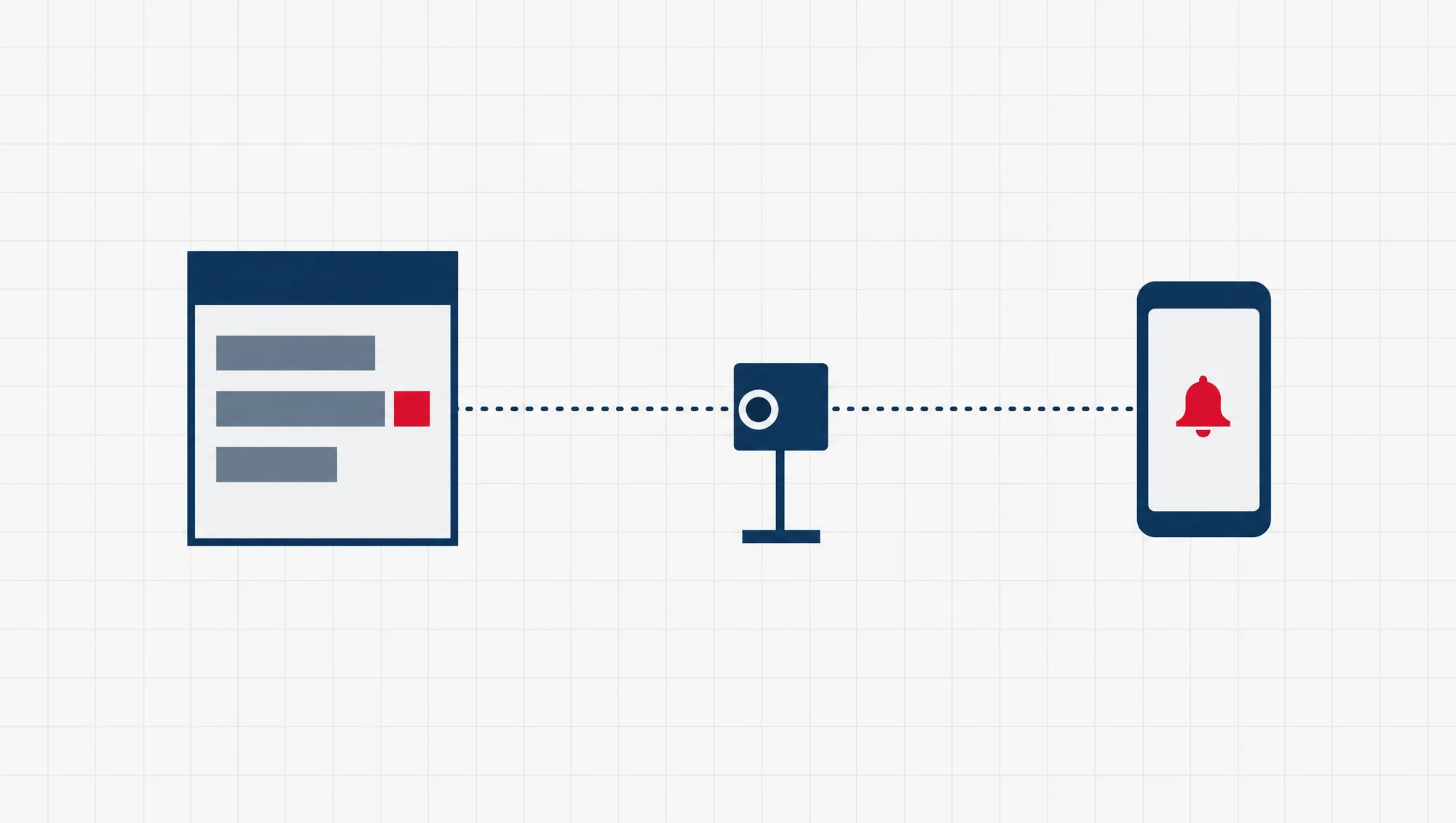
Website uptime monitoring is a service that opens your website from outside, every few minutes, and tells someone the moment it fails. “Uptime” means the time your site is up and working for visitors.
Think of it as a visitor who never sleeps. When your home page does not load, or loads with an error, it sends an alert to your email or your phone.
The point is simple. You hear that the site is down before a customer tells you.
For a small business with no IT staff, watching the home page alone is not enough. Watch four things: the home page, the contact or booking form, the security certificate’s end date, and your domain name’s renewal date.
The security certificate is the file your site needs to keep what visitors send you private. Your domain name is your web address, such as yourcompany.com.sg.
Then give every alert one named person, and write down what that person does next.
What does website uptime monitoring check?
It asks your website for a page, the same way a browser does, and reads the reply. No reply, or a reply that says something went wrong, counts as a failed check.
The reply comes from a web server: the computer that stores your website and sends its pages to visitors. Every reply carries a three-digit number called an HTTP status code, which says whether the request worked.
Mozilla, the maker of the Firefox browser, publishes a reference for people who build websites. It sorts these codes into five classes. Two of them matter here.
Codes from 200 to 299 mean the request worked. The everyday one is 200, which simply means OK.
Codes from 500 to 599 are server errors. The fault sits with the server that runs your website, not with the visitor.
One of them is 503 Service Unavailable. It means the server is not ready to answer. Mozilla names two common causes: a server “down for maintenance or that is overloaded”.
So for website uptime monitoring, “down” means no answer at all, or an answer with an error code in it. A page that loads but shows the wrong thing is a different problem. It needs a different check, which comes in the next section.
How often should it check? Match the gap between checks to what an hour offline costs you.
Say you run a brochure site: a few pages on who you are and how to reach you, bringing in a few enquiries a week. A check every five minutes is plenty. For a shop or a booking site that takes orders through the night, choose the shortest gap your plan allows.
Two settings matter more than speed. Set it to check from more than one place. And have it wait for a second failed check before it sends the alert.
One failed check from one place can be a fault in the network between that place and your site. Two places that agree point to the site itself, and nobody gets woken for nothing.
What should a small business watch besides the home page?
Three more things, so four in all. The home page check tells you the site answers. The other three catch the failures it walks straight past.
1. The home page, and what is on it
Start with a plain check on the home page. Then, if your plan offers it, add a keyword check. It looks for a word that should always be on the page, such as your business name, and alerts you when that word is missing.
Here is why. A page can load and still be wrong. Say someone breaks in and replaces what the page shows, which is called defacing it.
The server still answers 200 OK, so a plain check stays green: it reports no problem. The Cyber Security Agency of Singapore, the government agency for cyber security, counted 108 defaced “.sg” websites in 2023, down from 340 in 2022.
2. The contact or booking form
Say your booking form stops sending after a plugin update. A plugin is an add-on that gives the site an extra feature, such as the form itself.
The home page still loads. The form still looks normal. Your home page check stays green, and you hear nothing until someone rings to ask why you never replied.
The check for this fills in the form and presses send, the way a visitor would. It is called synthetic monitoring, because the visitor is a script, a short set of instructions, not a person. Mozilla’s glossary describes it as scripts that “simulate the path an end-user might take through a web application”.
Point it at a test email address. Tell whoever reads the enquiries to expect those test messages.
If your plan cannot fill in forms, there is a cheaper stand-in: send yourself a test enquiry every Monday morning, and check it arrives.
3. The security certificate’s end date
HTTPS is the secure version of HTTP, the basic method browsers and websites use to pass pages back and forth. You see it as the “https” at the start of a web address.
Mozilla’s glossary says HTTPS uses TLS to encrypt everything that passes between a visitor’s browser and the server. TLS, short for Transport Layer Security, scrambles that traffic so it cannot be read on the way.
The file at the centre of that is the TLS certificate, still often called an SSL certificate after the older method TLS replaced. It has an end date, and your site needs a new one before then.
That date now comes round more often. The CA/Browser Forum sets the rules for these certificates. Its members are the companies that issue certificates and the browser makers, including Apple, Google, Microsoft and Mozilla.
In May 2025 it approved a cut in the longest a public website certificate may last. The limit falls from 398 days to 47 days, in steps from March 2026 to March 2029.
The first step came on 15 March 2026, when the limit fell to 200 days. So a certificate that once lasted about a year now lasts at most six and a half months. By 2029 it will last under seven weeks.
Your host is the company that keeps your site online. If it renews the certificate for you, the check is there for the day that renewal fails.
A certificate check reads the end date and warns you ahead of it. Set the warning for at least two weeks before the date, so there is time to chase the host.
4. The domain renewal date
Your domain name is your address on the internet. The Domain Name System, or DNS, is the address book that turns that name into the number of the server your site sits on. That number is called an IP address, and Mozilla’s glossary calls this lookup the most prominent job of DNS.
When a domain is not renewed in time, that address book stops pointing at your site. The email addresses on that name stop working too. How long you have to rescue the name depends on its ending, such as .sg or .com.
A .sg name gets two 30-day periods. SGNIC, the registry that keeps the master list of .sg names, suspends an unrenewed name for a 30-day grace period. In that time it “ceases to resolve to a website or email address”: your site and email on that name stop working.
You can still renew it in that time by paying the renewal fee. A 30-day escrow period follows, when the name is held back before it is deleted. It stays suspended, and renewing it then costs a reinstatement fee, a charge to bring the name back, on top of the renewal fee.
Our guide to how .sg and .com.sg domains work and who can register one covers the registration side of a .sg name.
A .com name, or another generic name, follows ICANN’s rules. ICANN is the body that sets the rules for generic domain names such as .com. It requires the registrar, the company you pay for the name, to send at least two reminders: about a month and about a week before expiry.
After expiry, ICANN’s rules require the registrar to cut the name’s DNS service, for up to 8 days, before deleting it. ICANN says this “will cause any services associated with the domain name such as a website or email service to no longer work”. A 30-day redemption period follows, when you can still restore the name.
Those reminders go to the registrant email on the domain’s record. The registrant is the person or company the name is registered to. If that email is the inbox of someone who left the company years ago, nobody reads the reminders.
A domain expiry check is a second warning that does not depend on that inbox.
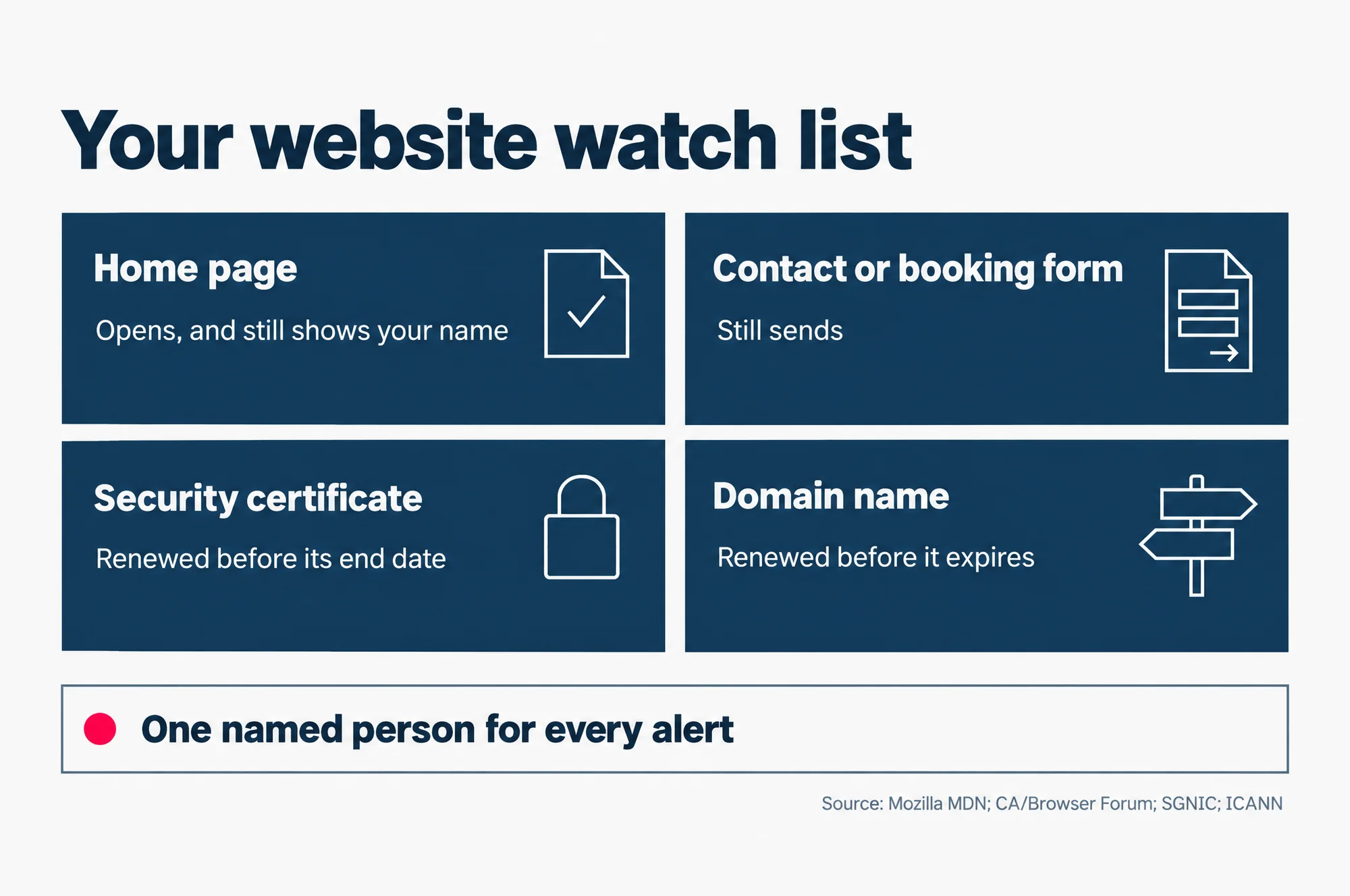
Read this as words instead
Your website watch list
- Home page: Opens, and still shows your name
- Contact or booking form: Still sends
- Security certificate: Renewed before its end date
- Domain name: Renewed before it expires
One named person for every alert
Source: Mozilla MDN; CA/Browser Forum; SGNIC; ICANN
Who should get the alert when the website goes down?
One named person, with one named backup. Not a shared inbox that everyone assumes someone else is reading.
Pick the person who can act on it. That means someone who can log in to your account with the host, or who has your web developer’s number saved and will use it. In a small office, that may be the office manager rather than the boss, since they are the one at a desk when the alert comes in.
Send the outage alert by text message or a phone app as well as by email, so it reaches that person away from their desk. Keep the email copy too. It is your record of when the site went down and came back.
The certificate and domain warnings can go to someone else: the person who pays the bills. Fixing either one usually means a renewal, and a renewal usually means a payment.
While you are at it, look up the registrant email on your domain’s record. If it is not a mailbox someone still reads, ask whoever registered the domain to change it.
What should happen after a downtime alert?
Write the next steps down now, while nothing is broken, and keep them where the named person and the backup can both find them. When the alert comes, they follow the list:
- Open the site on your phone, on mobile data, not the office Wi-Fi. If it opens there, the fault may be your office network or the check itself, not the site.
- Read what the alert says failed: no answer, an error code, the form, the certificate or the domain.
- Call the person who fixes that kind of fault. For no answer or a code in the 500s, that is the host. For a broken form, whoever built or looks after the site. For a certificate or domain warning, the person who pays for renewals.
- If the fix will take more than an hour, tell customers where else to reach you. Use your social pages or your Google Business Profile, the listing that shows your business on Google Maps.
- Once the site is back, note what failed, when, and what fixed it.
That last step is the one people skip. It is also what makes the next outage shorter: if the same fault comes back, you already know who fixed it last time.
Is free website uptime monitoring enough for a business website?
For knowing that the home page is down, a free plan can be enough. Before you rely on one, read three things on the provider’s own pages, not in a review article:
- how often the free plan checks your site;
- which checks it includes, and whether the form check from the list above is one of them;
- whether its terms allow use by a business.
Then be clear about what website uptime monitoring does, free or paid. It tells you. It fixes nothing.
That is the real limit for a small business. If the alert reaches someone who cannot log in to the hosting, or cannot tell a server error from a lapsed domain, the site stays down until someone else is found.
If you are thinking of handing that part over, our guide to what a monthly website maintenance service covers and costs lists the questions to ask any provider.
When nobody in house can act on the alert
Then the alert needs to reach someone who can. That is the part a website care plan adds.
Every one of our Website Care plans includes website uptime monitoring. On a WordPress site it sits beside daily backups, daily malware scans and hosting management. Malware is harmful software slipped onto a site.
On a static brochure site, one built from fixed pages, the lighter plan includes it along with the hosting and the SSL certificate. As the care page puts it: “If the site goes down, we hear it from the monitor, not from you.”
See what each Website Care plan covers, and compare it with the list above.