
Google Business Profile is the free entry for your business on Google Search and Google Maps, with your hours, photos and reviews. A Google Business Profile service can keep its details right, post updates, add photos and reply to reviews for you. That is real work, and it is the part worth handing over when you are short of time.
Three things stay with you, whoever you pay. You keep ownership of your Google Business Profile, because Google’s rules for outside providers say the business must. You do the jobs that happen at the shop: Google’s check that your business is real, the photos, asking customers for reviews and answering the phone. And nobody can sell you a higher place on Google Maps. Google says there is no way to request or pay for a better local ranking, which is your place among the nearby businesses Google shows for a search.
We run this work for Singapore businesses as part of our SEO service. SEO, short for search engine optimisation, is the work of helping customers find you on Google and in AI answers. So the list below is the scope we hold ourselves to.
If you have a monthly package in front of you that promises a top-3 spot, meaning one of the first three businesses Google shows for a nearby search, read the pitch against this page before you sign.
Read this as words instead
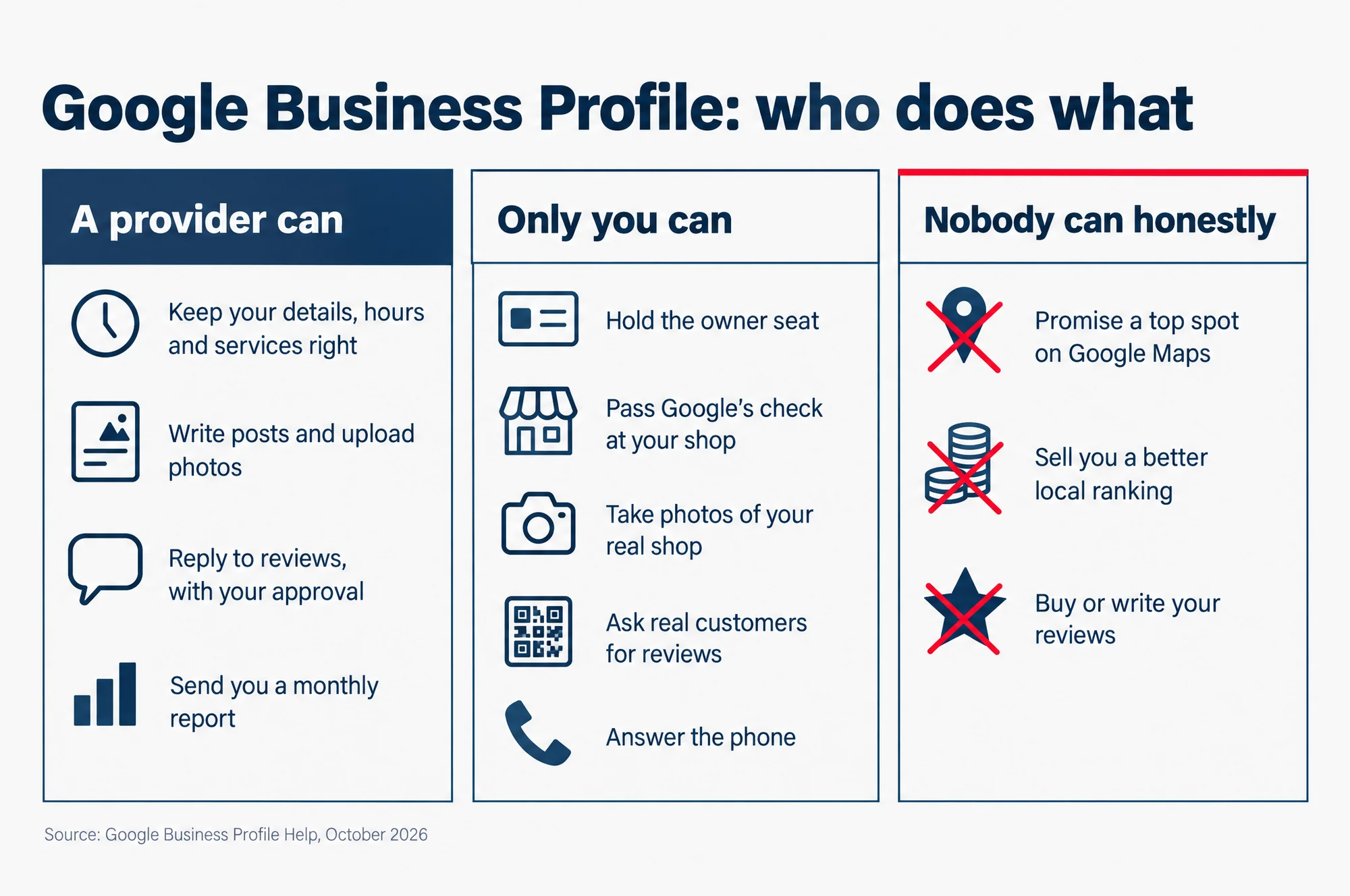
Google Business Profile: who does what
A provider can:
- Keep your details, hours and services right
- Write posts and upload photos
- Reply to reviews, with your approval
- Send you a monthly report
Only you can:
- Hold the owner seat
- Pass Google’s check at your shop
- Take photos of your real shop
- Ask real customers for reviews
- Answer the phone
Nobody can honestly:
- Promise a top spot on Google Maps
- Sell you a better local ranking
- Buy or write your reviews
Source: Google Business Profile Help, October 2026
What a provider can do inside your profile
A provider works inside your Google Business Profile as a manager. A manager is a user you invite who can edit the profile but cannot add or remove users. Google’s help page on owners and managers says managers “can edit info, respond to reviews, and manage posts”. For a café, the monthly work looks like this.
- The core details. Your name as it reads on your shopfront, your category (the label that says what kind of business you are, such as café), your opening hours with special hours for public holidays, and your services or menu.
- Attributes. The small facts customers look for, such as whether you have Wi-Fi or parking nearby.
- Posts. Short updates on the profile: a new dish, a closure for a holiday, a weekend event.
- Photos. Uploading the photos you take, choosing the cover photo and removing old ones.
- Review replies. Answering what customers write. A provider needs your clear approval to reply for you, and Google’s policy says “Verbal consent isn’t sufficient.”
- Watching for changes. Google also takes information about your business from the public and other sources, so a wrong opening time can be suggested by someone else. A provider can watch for these. Google’s policy says they must check with you before they throw a suggested update away.
- A monthly report. How many people saw the profile and acted on it. Google calls outside providers third parties, from one web consultant to large firms. Its page on working with third parties says “You have the right to know your profile’s performance, such as how many users interact with, view, and click on your Business Profile.”
One rule sits over all of it. Google’s third-party policy says “Changes or disablement of profile features without the business owner’s consent is prohibited.” So you should hear about every change a provider makes.
What stays your job, even when you pay
Some of the work can only happen at your shop. A package that says it handles everything still leaves these with you.
- Ownership. You hold the owner role on your Google Business Profile, the one role that can add or remove other users. The next section says why that matters.
- Verification. This is Google’s check that your business is real and that you run it. Google says you must verify before you can edit details such as your name or hours. Google picks the method, and it varies by business. A phone check needs someone who can answer the business number. A live video check asks you to be at the shop and show things like your signboard, your equipment and a staff-only area such as the kitchen.
- Photos of the real shop. A provider can upload and sort them. The photos themselves come from you: your counter, your food, your seats on a normal day.
- Asking customers for reviews. Google says you can ask customers to visit a Google link or scan a QR code, a square code that a phone camera opens as a link. A provider can make the link and the QR card. The ask itself comes from you, at the counter, after a good visit.
- The phone. Your profile shows your phone number to people searching nearby. When it rings, the call comes to you, not to the provider.
If a pitch says it takes care of all of this, ask which parts happen at your shop, and who does them.
Who owns your Google Business Profile when an agency runs it?
You do, the whole time. Google’s third-party policy says “all end customers must retain ownership or co-ownership of their Business Profile at all times.” A setup where the agency is the only owner does not meet that rule.
Every Google Business Profile has two kinds of user, and the difference is control.
An owner can do everything. Google’s help page says the owner can “add or remove users, manage profile info, and even delete the profile.”
A manager can do almost everything. The same page says managers have mostly the same access as owners, and the only exception is “they can’t add or remove users or remove the profile.”
So the clean setup is simple. You are the owner, and the provider is a manager. Google gives agencies the same instruction: “If a client already has a Business Profile, ask them to invite you as a manager, not as an owner.”
Nobody needs your password for this. Each person signs in with their own Google Account, the same sign-in they use for Gmail, and you invite the provider from the profile’s People and access settings.

If you stop the service, the provider must hand back control within 7 business days of your notice. Business days are working days, so weekends do not count.
Google’s policy puts it this way: within that time the provider “must provide that client the ability to disassociate the Google Account used to manage their Business Profile from your services and regain exclusive control of it.” In plain words, you get sole control of your profile back, and the provider’s access ends.
Can a provider get you into the top 3 on Google Maps?
No. Nobody can promise that, and Google says so on two of its own pages.
Google’s page on local ranking says: “There’s no way to request or pay for a better local ranking on Google.” Its page on working with third parties says: “Third parties can’t promise nor directly influence your business’s ranking on Google Search or Maps through any special means.”
The “top 3” in a pitch usually means the local pack: the short list of nearby businesses, with a small map, that Google shows for a search such as “café near me”. Google says local results are “mainly based on relevance, distance, and popularity”. The same page explains three factors, and it calls the third one prominence.
- Relevance
- How well your profile matches what someone searched for. Complete, accurate details help here.
- Distance
- How far your shop is from the person searching. Nobody can change this for you.
- Prominence
- How well known your business is. Google ties it to how many reviews you have and how many websites link to you.
That leaves a provider one honest job on ranking: making your details complete and accurate, so you match more of the searches you should. Google says businesses with complete and accurate info “are more likely to show up in local search results.” More likely is the most anyone can offer.
Google’s pages for businesses that work with third parties also list the warning signs to look for in a pitch.
- A guaranteed spot. Google’s policy lists “Guarantees top placement on Google” among false or misleading claims. So is a promise that you will show “at all times”.
- Claiming to work for Google. Google says to ask for the person’s name and an email from an “@google.com” address. If they cannot give one, they likely do not work for Google.
- Threats. Such as telling you that you will lose your Google Business Profile unless you sign up. Google says third parties “can’t remove your business from Google or access your profile without your permission.”
- Selling you a free Google Business Profile. The policy bans presenting free Google products as products you pay to be listed in.
- Holding the profile back. The policy names a provider that “Keeps a profile hostage in exchange for money.”
- No written agreement. Google says to get “an official copy of your agreement that clearly details the services and their costs” before you start.
If a provider breaks these rules, Google’s page on working with third parties links a complaint form for reporting them.
Can a provider write or buy reviews for you?
No. A provider that offers to write, “seed” or buy reviews is selling you a risk, not a ranking.
Google’s rules for Maps call these fake engagement, meaning content that does not come from a real experience. It includes “Reviews or ratings that have been paid for, directly or in kind.” Rewards for real customers are banned too. Google says offering “free or discounted goods or services, in exchange for customers to post reviews, change reviews, or remove negative reviews is considered fake & misleading content and is strictly prohibited.” So a free coffee for a five-star review breaks the rule as well.
In Singapore, a business that posts fake reviews also has a problem under consumer law. The Competition and Consumer Commission of Singapore is the government body that enforces the Consumer Protection (Fair Trading) Act 2003, the law that guards against unfair trade practices. It treats a business posting fake reviews as one of those practices, because shoppers may be misled into thinking the reviews are real.
Three of its cases show where this leads.
- : a furniture business had posted fake 5-star reviews on its own website that appeared to come from at least seven customers. It gave the Commission undertakings (formal promises to stop and put things right) and was warned.
- : a car detailing firm admitted posting fake 5-star reviews under its customers’ names on the car website Sgcarmart, and using the AI chat tool ChatGPT to write them. The Commission called it the first case involving both a third-party platform, here a website the business does not run, and AI.
- : action against 45 businesses and a fake review provider. The provider sold fake reviews to about 100 businesses, used generative AI (tools that write new text on request) to write them, and offered a calculator to work out how many five-star reviews a client needed to reach its target Google rating.
The businesses in the newest case must remove the fake reviews and publish a public apology for six months. The Commission’s release says it goes on their websites, their official social media accounts, and “at their physical premises or outlets”.
Picture that on your café’s door for six months. That is what bought reviews can cost.
What a provider can honestly do for your reviews is smaller and safer. It can make your review link and QR card, reply to every review, good and bad, and help you build the habit of asking. Google’s advice is to value all reviews, because “A mix of positive and negative feedback often feels more trustworthy.”
Do it yourself, or pay someone?
Most of the monthly work is small, and Google’s help pages explain each part. Google’s own advice to owners who are thinking of hiring help starts with learning it: “It doesn’t take long to understand how Business Profile works and use its features.” Paying someone buys you time. It does not buy you access to anything an owner cannot reach.
If you are doing it alone, our guide to Google Business Profile optimisation in Singapore takes you through the fields that matter most, in order.
Questions owners ask before they pay
Is Google Business Profile free?
Yes. Google says you can manage how your business shows up on Maps and Search “at no charge”. What a provider charges for is its time. Google’s policy says a provider that charges a fee must tell you that the profile itself costs nothing extra, in writing, before it starts managing your profile.
Can I see my profile’s numbers without asking the provider?
Yes. The numbers live in your Google Business Profile, and as the owner you can sign in and see them. If a provider also reports figures from other sites, Google’s policy says it “must report the Business Profile data separately”, so you can tell Google’s numbers apart from the rest.
Should I hire two providers and see which does better?
Google advises against it: “Your business can only appear once on Google, which can make it difficult to test multiple third parties at the same time.” Try one at a time, and look at the profile’s numbers yourself each month.
Read the slides as words
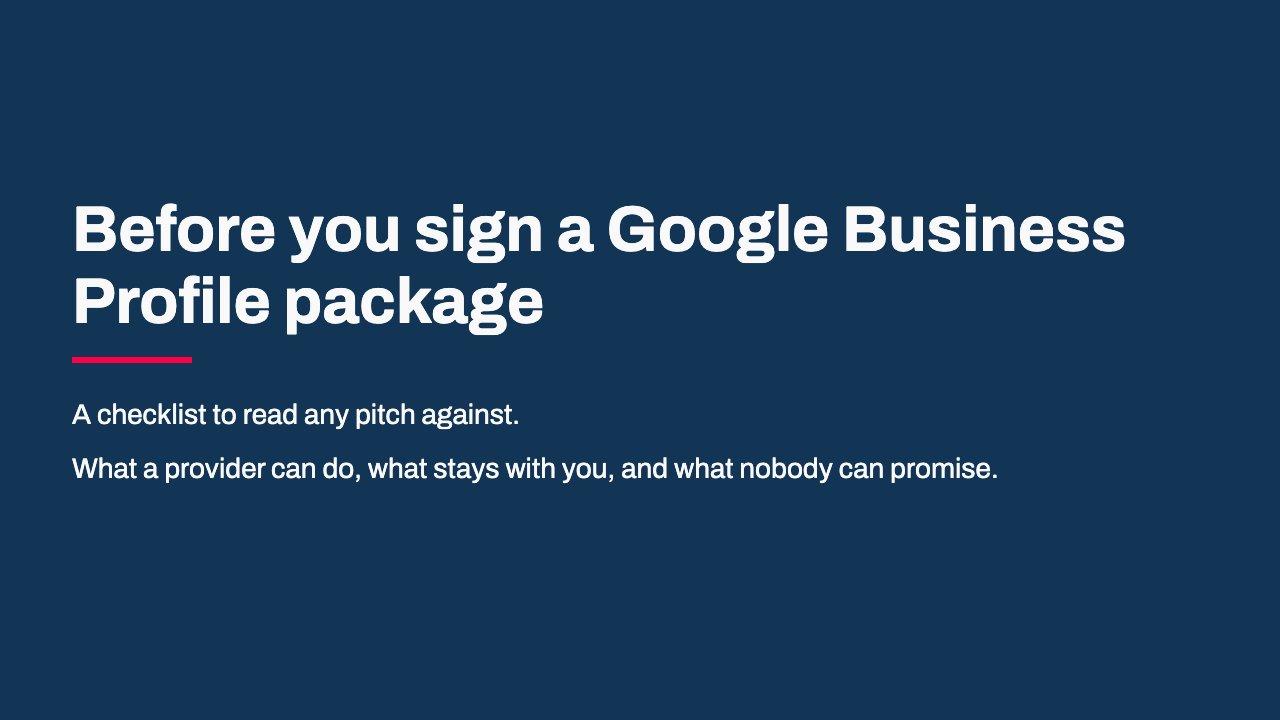
- Before you sign a Google Business Profile package: A checklist to read any pitch against.; What a provider can do, what stays with you, and what nobody can promise.
- What a provider can do: Keep your name, category, hours and services right; Add attributes, such as Wi-Fi or parking; Write posts and upload your photos; Reply to reviews, with your clear approval; Watch for changes other people suggest, and check them with you; Report how many people saw the profile and acted on it
- What stays with you: The owner seat on the profile; Google's check that your business is real, which happens at your shop; Photos of your real shop; Asking real customers for reviews; Answering the phone
- Check the access: You are the owner; The provider is a manager you invite; Each person signs in with their own Google Account; Nobody needs your password
- Check the way out: Google's policy gives you sole control back within 7 business days of your notice; Ask how you give notice, and to whom
- Walk away if you hear: A guaranteed top spot on Google Maps; A claim to work for Google, with no @google.com email to prove it; A threat that your listing will disappear unless you sign; The free listing sold as a paid product; Your profile held back until you pay
- Reviews: the hard line: No written, bought or rewarded reviews, not even a free coffee for five stars; Google removes them; In Singapore, businesses caught buying fake reviews have had to post a public apology for six months
- Get it in writing: An official agreement listing the services and their costs; A written note that the profile itself is free; Reports that keep Google's figures apart from other sites
- Questions to ask before you sign: Which parts happen at my shop, and who does them?; Will I stay the owner?; How do I leave, and how fast do I get control back?; What will you change without asking me first?
Have a pitch in front of you?
If you want a second view before you sign, book a short call with us through our contact page. Bring the pitch. We will go through what it covers, what it leaves to you, and anything on Google’s list of warning signs. Then we will tell you whether your profile needs running every month or only setting up right once, and whether that work fits our SEO service. If a one-time set-up is all you need, we will say so.
Google Business Profile work is listed on our SEO services page, and both plan prices are on our SEO pricing page.
Sources
- Google Business Profile Help, Tips to improve your local ranking on Google
- Google Business Profile Help, Business Profile third-party policies
- Google Business Profile Help, Tips for working with third parties to manage your Business Profile
- Google Business Profile Help, Manage your Business Profile owners and managers
- Google Business Profile Help, Verify your business on Google
- Google Business Profile Help, Tips to get more reviews
- Google Business Profile Help, Get started with Google Business Profile
- Google Maps contribution policy, Prohibited and restricted content
- Competition and Consumer Commission of Singapore, media release, 21 June 2024
- Competition and Consumer Commission of Singapore, media release, 3 July 2025
- Competition and Consumer Commission of Singapore, media release, 30 September 2026