
A workable SEO plan for a small business runs for three months, uses Google’s free tools, and does one job a month.
- Month one: make sure Google can find your pages. Set up Google Search Console, check which pages Google has stored, and fix what stops the rest.
- Month two: improve the pages Google already shows. Find the searches where a page appears but few people click, and rewrite its title and its answer.
- Month three: write for the questions your customers ask. One clear page per real question, written for people first.
SEO is short for search engine optimisation. It is the work of making your site more visible in search engine results, so the people searching for what you do can find you.
Search Console is the free tool at the centre of this plan. Google describes it as a free service that helps you monitor and troubleshoot how your site appears in Google Search.
The order matters. A page Google has not stored cannot appear in its results at all, so there is no point rewriting it yet. And a page that already appears is the cheapest one to improve, so it comes before writing anything new.
Plan for a few hours a week. Each month below ends with one check you can run yourself, so you know whether to move on.
How long SEO takes to show results
Some changes show within hours. Others take several months. That is Google’s own answer, and it is why this plan runs for three months: you need a few weeks between changes to tell what worked.
The SEO Starter Guide is Google’s own guide to the basics of SEO. It says some changes “might take effect in a few hours, others could take several months.” It suggests you “wait a few weeks to assess whether your work had beneficial effects in Google Search results.”
So a plan with one job a month gives each change a few weeks before you judge it. Three months is long enough to do the three jobs in order, and short enough to keep going.
The same guide adds a warning worth keeping in mind. Not every change you make will move your results. If one does nothing, Google suggests trying another change and seeing if that makes a difference. A three-month plan is the first round of that, not the last.
One more thing can move your numbers that has nothing to do with your work. Google changes how it ranks pages several times a year. It lists each change and its dates on its public Search Status Dashboard, a page anyone can open.
Most ranking changes on that list are one of two kinds. A core update is one of the significant, broad changes Google makes to its search systems. A spam update is an improvement to the automated systems Google uses to spot spam. The most recent spam update began on 24 September 2026 and ran for 13 days and 16 hours, almost two weeks. The most recent core update began on 21 May 2026.
If your numbers jump or fall in a month like that, check the dashboard before you decide your own change caused it.
Month one: make sure Google can find your pages
This is what a small business should do first for SEO. Before you write or rewrite anything, answer one question: can Google find and store the pages that matter? Google calls storing a page “indexing”. A page that is not indexed cannot appear in Google’s results, so nothing else in this plan helps it until this is fixed.
Set up Search Console and prove you own the site
Search Console holds private Google Search data about your site, so Google first asks you to prove you own it. Google calls this verification. You do it once, then leave it in place, because Search Console keeps checking it.
If your site runs on a platform like WordPress, Wix or Squarespace, start with the platform’s own settings. Google says these platforms may offer a plugin (an add-on you switch on inside the platform) or a setting that verifies the site easily, or even automatically.
If you can reach the settings at the company you bought your domain name from, there is a better option. Your domain name is your web address without the “www”, such as yourcompany.com.sg. Verifying the whole domain covers every version of your address, with and without “www”, and with and without the secure “https”. Google calls this a Domain property. It needs one line of text added to your domain settings, which is called a DNS record. If your domain company is listed in Search Console’s set-up steps, Google says this is simple.
Check what Google has stored
For a small site, start with a plain Google search, not a report. Type site: followed by your domain, with no space, such as site:yourcompany.com.sg. The results are a sample of the pages Google knows about. If you see your pages, Google has found the site.
If your site has fewer than 500 pages, Google says you probably do not need the Page indexing report. That report is the Search Console list of which pages Google stored and which it left out. Open it only if the site: search shows nothing, or shows none of your three money pages. Its table “Why pages aren’t indexed” lists the problems that stopped Google storing them.
For the step-by-step version of these checks, with what each result means, see our guide to checking your website’s SEO for free.
Decide whether you need a sitemap
A sitemap is a file on your site that lists the pages you want Google to know about. Many small sites do not need to do anything here.
- If your site is on a hosted platform like Wix or Squarespace, where the platform runs the site for you, Google says the platform probably manages the sitemap for you.
- If your site has about 500 pages or fewer, and every page can be reached by following links from your home page, Google says you probably do not need a sitemap.
- If neither is true, or your site already has a sitemap, submit it. Open the Sitemaps report in Search Console, paste the sitemap’s address into the “Add a new sitemap” box, and click Submit.
After you submit, the report shows a status for the sitemap. “Success” means Google read it without errors. “Couldn’t fetch” means Google could not get the file, so pass that to whoever looks after the site.
Inspect your three money pages
A URL is a page’s full web address, such as yourcompany.com.sg/services. URL Inspection is the Search Console tool that tells you what Google knows about one address on your site. Run it on each of your three pages.
- Open Search Console and paste the page’s full address into the search bar at the top.
- Read the status. “URL is on Google” means the page can appear in results. It does not promise that it will.
- If it says “URL is not on Google”, open the page indexing details in the result and read the reason.
- Fix the reason, or pass it to whoever built the site. Then run the live test, which checks the page as it is today.
- If the live test looks right, click Request indexing to ask Google to read the page again.
Asking is not instant. Google says indexing typically takes a day or so, can take much longer, and a request does not guarantee the page will be indexed. There is also a daily limit on requests, so save them for the pages that matter.
The check at the end of month one: a site: search for each of your three money pages returns that page. If one still does not, stay on month one for that page. Everything after this depends on it.
Month two: improve the pages Google already shows
This month works on pages that already appear in Google but get few clicks. They are the cheapest wins on your site, because they already appear for real searches. Your job is to make the listing worth clicking, and the page worth staying on.
Find the searches where you nearly win
The Performance report in Search Console lists the searches your site appeared in. Each appearance in someone’s results is called an impression. A search typed into Google is called a query. Position is where your page sat in the results, and 1 is the top. By default the report shows your clicks and impressions for the past three months.
- Open the Performance report and click the “Average position” heading above the chart, so the position shows in the table too.
- Open the Pages tab and click the row for one of your money pages. The whole report now shows that page only.
- Open the Queries tab. These are the searches that page appeared in.
- Look for searches that have impressions, few or no clicks, and a position of roughly 5 to 20.
Google works out the average position from your page’s highest spot in each search, so for one search on one page it is a fair guide. Across a whole site it mixes very different searches together, so read it search by search. Our guide to reading the Search Console Performance report explains why.
Why roughly 5 to 20? That is our own rule of thumb, not Google’s. A page in that range is close enough to the top that a better listing can start earning clicks, and far enough down that it is not winning them yet.
Google adds one more test. If the click-through rate (the share of people who saw your listing and clicked it) is low on a search that matters to you, run that search yourself. Google suggests you look at what comes up and might be drawing the clicks instead.
Rewrite the title, the description and the answer
For each page on your list, change three things.
The title. Google builds the headline of your search listing from a few sources, including the page’s title (the name you give the page in your site’s editor) and its headings. Its Starter Guide says a good title “is unique to the page, clear and concise, and accurately describes the contents of the page.” It can include your business name and your location.
The description. The short text under the headline is called the snippet. Google usually takes it from the words on the page itself, and occasionally from the meta description, a short summary you can set in your page settings. Write one anyway. Google says a good one is short, unique to the page, and includes the most relevant points of the page.
The answer. Read the searches on your list as questions. If people search “how much does aircon servicing cost” and your page shows the price at the bottom, move the answer up. Use the words your customers use, not the words your industry uses.
When the changes are live, run URL Inspection on the page again and click Request indexing, as in month one.
Then write down the date you changed each page, and what you changed. One line per page in a spreadsheet is enough. The check at the end of this month needs that date, and in six months you will want to know which change did what.
A real example: our own SEO page
Here is what this step looks like on our own site. In September 2026, our SEO service page appeared in Google’s results 5 times. Nobody clicked. Its average position was 4.6.
Position 4.6 is close to the top. So the problem is not that Google ranks the page badly. The page is shown very rarely.
That changes the month-two job for that page. A sharper title would help the few people who see it, but 5 impressions a month is too few to learn from. The first step is to open the page’s row in the Pages tab, read which searches it appears for, and check whether they match what the page sells. If they do not, the page needs more of the answers people search for, which is month three’s work.
Your own report will look different. The point is to read your numbers before you change anything, because they tell you which of the three fixes your page needs.
The check at the end of month two: wait a few weeks after the changes, then compare. In the Performance report, open the Date filter, choose Compare, and set the weeks after your change against the same number of weeks before it. Look at the clicks and the click-through rate for the pages you changed.
Month three: write for the questions your customers ask
Now you add new pages. Each one answers one question a real customer asks before they buy.
Find the questions
The best list is already in your business. It is in your sales emails, your enquiry forms, the questions your staff answer on the phone, and the quotes people turned down. Finding the words customers type into Google is called keyword research. For a small business, it starts with that list, not with a tool. Our guide to finding seed keywords before you open a tool walks through it. Seed keywords are the plain starting words a customer would use for what you sell.
Say you run an aircon servicing firm. Your list might read: how often should I service my aircon, why is my aircon dripping water, and what does a chemical wash include. Each of those is one page.
Then check the list against your Performance report. Any search in the Queries tab that is phrased as a question, and that no page on your site answers well, goes on the list too.
Customers and experts use different words for the same thing. Google’s Starter Guide gives the example of one person searching “charcuterie” and another searching “cheese board”. Write in the words your customers use. Google also says not to worry about every variation, because its systems can match a page to searches that use other words.
Write one clear page per question
Pick the three questions you hear most. Write one page for each, and give every page the same simple shape:
- The answer, in the first two lines.
- What it costs, or your usual range, if you give prices.
- How long it takes.
- What can go wrong, from jobs you have done.
- What to do next: call, book or ask for a quote.
Google calls the kind of page it wants “people-first content”. It means content made mainly to help people, not to push a page up the rankings. Google lists questions to test a page against. Three of them suit a small business well:
- Would the people who already come to your business find this page useful if they came to you directly?
- Does it show first-hand knowledge, the kind that comes from actually doing the work?
- After reading it, will someone feel they learned enough to do what they came to do?
Your advantage over a bigger competitor is the second question. You have done the job. So fill in the cost, the time and what goes wrong from your own work, not from someone else’s page.
Google also lists warning signs. A page made mainly to attract visits from search engines, rather than to help the people who arrive, is the main one to avoid.
When each page is live, run URL Inspection on it and click Request indexing, as in month one.
The check at the end of month three: each new page returns in a site: search. A few weeks later, open the Pages tab in the Performance report and look for impressions on the new pages. Impressions come before clicks, so a few impressions this early is a good sign.
Two questions owners ask at this point
Do I need to do anything different for AI Overviews?
No. AI Overviews and AI Mode are the places in Google Search where AI writes an answer and links to pages. Google says “there are no additional requirements to appear in AI Overviews or AI Mode, nor other special optimizations necessary.” The usual SEO best practices still apply, and this plan is made of those practices.
Where does Google Maps fit in?
If customers visit your shop or office, or you serve customers in an area, your Google Business Profile is a separate job from your website. It is your business’s listing on Google Maps and in Google Search. Google says to add your business address to it, to help customers find you on Maps and Search. If you do not serve customers at your address, Google lets you hide it. Our guide to Google Business Profile in Singapore covers what to fill in. Fit it into month one if most of your customers find you locally.
Doing SEO yourself, and when to hire help
Yes, you can do SEO for a small business yourself. This whole plan runs with no outside help. Some parts are faster with help, and some parts only you can do.
Keep these yourself. Knowing the questions customers ask. Writing the first-hand answers in month three. Reading the Performance report once a month. Nobody outside your business knows your customers as well as you do.
Hand these off when they stall you. Fixes that need changes to the site’s code or server, such as a reason in the Page indexing report you cannot fix in your page settings. Steady writing, if you have the questions but not the hours. And the monthly reading, if it keeps slipping off your calendar.
When to hire an SEO agency. Bring one in when a job on that second list has stalled the plan for a month. Google’s Starter Guide puts it simply: if you are short on time, you might consider hiring a professional.
Before you sign, ask what they will do in the first month. A good answer sounds like month one of this plan.
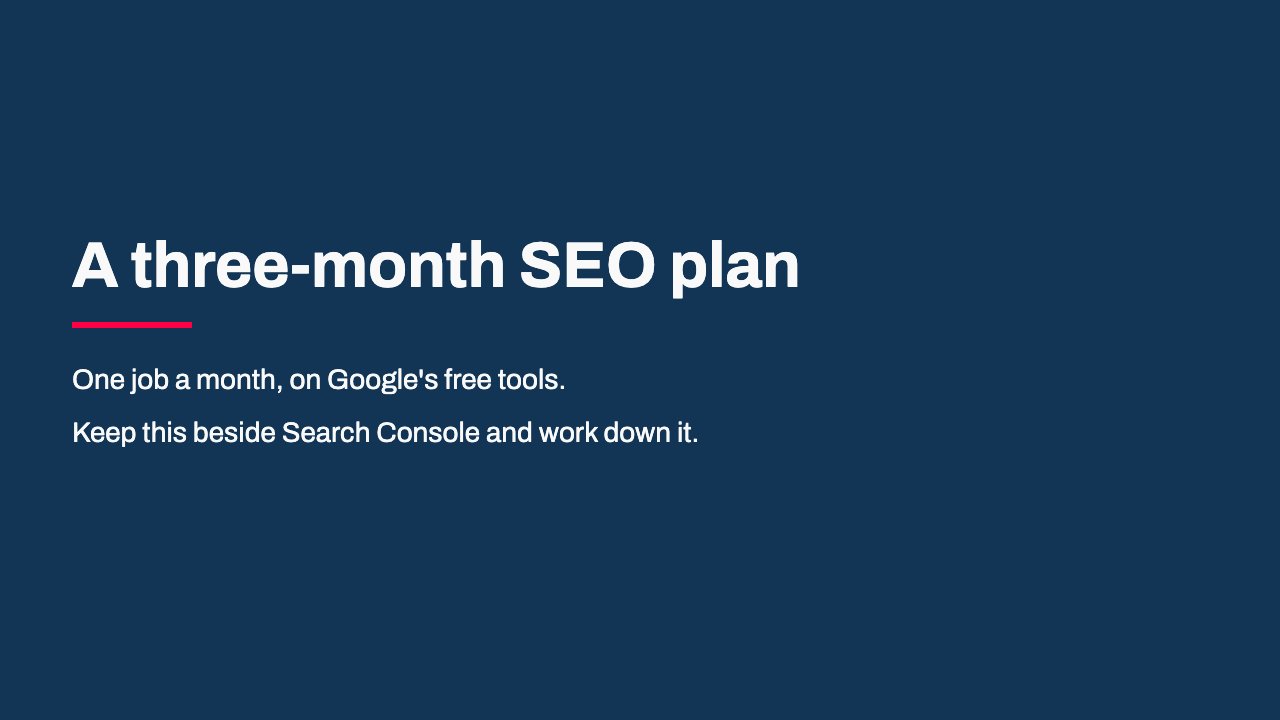
Read the slides as words
- A three-month SEO plan: One job a month, on Google's free tools.; Keep this beside Search Console and work down it.
- Before you start: Write down the three pages that bring your business money.; Every month starts with those three pages.
- Month one: can Google find your pages?: Set up Search Console and verify the site; Search Google for site: followed by your domain; Open the Page indexing report only if that search shows nothing; Submit a sitemap if your platform does not manage one and your site is large
- Month one: inspect the money pages: Paste each page address into URL Inspection; Read the status at the top; Fix the reason, then run the live test; Click Request indexing; Check: a site: search returns each money page.
- Month two: pages Google already shows: Open the Performance report; Show Average position; Click a money page in the Pages tab; Read its Queries tab; Look for searches with impressions and few clicks, close to the top.
- Month two: rewrite three things: The title: unique, clear, and true to the page; The description: short and specific; The answer: moved up, in your customers' words; Check: compare clicks and click-through rate before and after.
- Month three: questions customers ask: Collect questions from emails, calls and turned-down quotes; Write one page per question; Answer first, then the detail, from your own work; Check: each new page shows up in a site: search, then gets impressions.
- Keep, or hand off: Keep: your customers' questions, first-hand answers, the monthly read.; Hand off: code and server fixes, steady writing, the monthly report if it keeps slipping.
What free tools do I need for SEO?
Two: Search Console and an ordinary Google search. Every step in this plan uses those two and your own site’s settings, so you do not need a paid tool yet. Search Console tells you about your own site, though, not anyone else’s. A paid tool earns its cost later, when the question becomes what your competitors’ sites rank for.
Why is there no link building in this plan?
Link building means getting other websites to link to yours. Google’s Starter Guide says other sites linking to you happens naturally over time, and that you can help people discover your content by promoting your site. For a small business, the pages from month three are the thing worth promoting, so they come first.
What should I do after the three months?
Run month two again on the pages that now show, and add a few more month-three pages. Keep month one as a monthly check on your three money pages. If a page you changed has not moved after a few weeks, change something else on it rather than waiting longer.
Where to go next
If you are still deciding whether SEO is worth the hours at all, start with our answer to why SEO matters for Singapore small businesses.
If you ran month one and want to hand off the parts you cannot do alone, our SEO service page sets out what we take on: the technical foundation, keyword and content work, Google Business Profile, and a monthly Search Console report. It links to our two published prices, so you can see the cost before you talk to anyone.