Of all the SEO YouTube channels, the one to check every other against is Google’s own: Google Search Central. SEO is short for search engine optimisation, the work of helping your pages show up well on Google. Google Search Central is where people from Google’s Search Quality team answer SEO questions in a series called SEO Office Hours.
For any other SEO channel, run three checks before you change anything on your website. Does the claim match a page in Google’s own documentation, the help pages Google writes for website owners? Is the video newer than that page? And does the creator show the data behind the claim, or say it is their opinion?
Google has its own page on how to judge outside SEO advice. It asks for the first check and the third, in these words:
In general, good advice either qualifies their claims as opinion based on data or experience, or backs up their claims by citing official Google Search guidance.
Say you have just watched two videos about the same setting on your site. One tells you to fill in the meta keywords tag, a hidden line in your page’s code that lists the words the page is about. The other says Google ignores it. The three checks below settle which one to follow. Further down, they are run on that exact clash.
Which YouTube channel is best to learn SEO?
For advice you can act on, start with Google Search Central. It is not the only channel worth watching. It is the one whose word is Google’s own, so it is the yardstick for the rest.
Its regular question-and-answer series is SEO Office Hours. Google describes it as the place “where Googlers from the Search Quality team answer questions around Google Search, websites, and the things between.” People send in questions, and Google says it picks some, “aiming to publish on our YouTube channel on a monthly basis.”
You can send a question too, through the form on Google’s Office Hours page. Two limits are worth knowing first. Google says the sessions “aren’t suitable for site-specific questions”, and that it cannot answer every question it gets. For a question about your own site, Google points you to the Google Search Central Forum, which it calls the best place for site-specific help.
Finding the channel’s newest videos is easy. The “What’s new” menu on Google’s Search Central site, where its documentation lives, has a list called “New YouTube videos”, next to the lists of documentation updates and ranking updates.
Most other SEO channels are run by people outside Google, telling you what they think Google does. Some do it very well. The checks below sort the advice you can use from the advice to leave alone.
Can you trust SEO experts on YouTube?
Some of them, on some claims. Google’s own answer is to judge each piece of advice, not each person.
Google’s page on outside SEO advice says plainly that the internet holds a lot of it, and that it is mixed: “While some advice is helpful, others may misinterpret or make claims about what ‘Google says’ or how Google ranking systems work.” Its recommendation is to check any advice “against our official SEO guidance” and to make “your own informed decisions.”
If a channel is run by a company that sells SEO tools, that does not make its advice wrong. But Google is clear about one limit of every outside tool: “Third-party tools don’t have access to our internal ranking data.” So when a tool maker’s video tells you what Google rewards, it is giving you its own reading, not Google’s data.
One red flag needs no checking at all. Google’s page on whether to hire outside SEO help says: “No one can guarantee a #1 ranking on Google.” A video that promises you the top spot has told you what you need to know about it.
Three checks to run on any SEO video
Run them in order, and stop as soon as one gives you a clear answer.
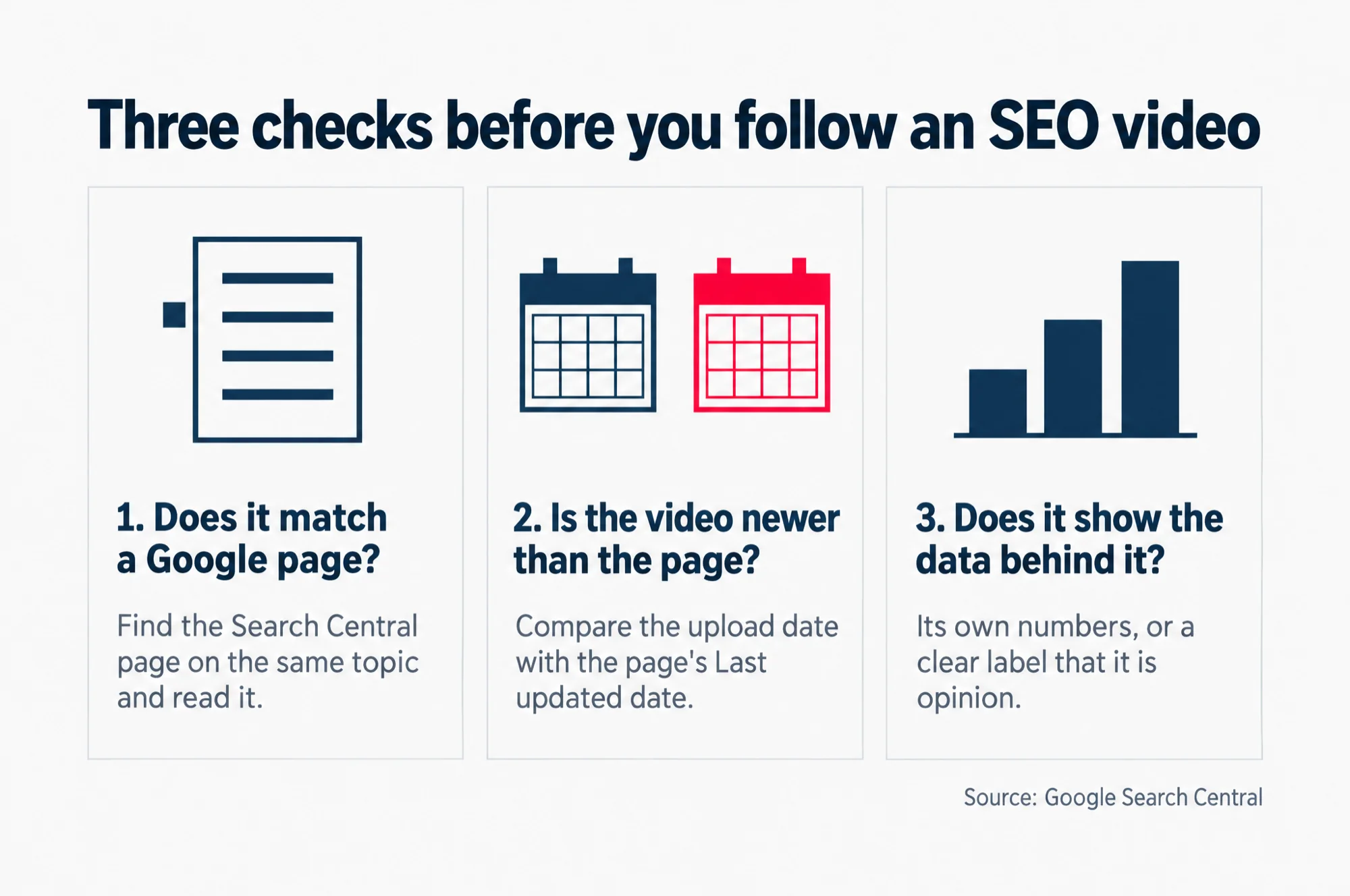
Read the three checks as words
Three checks before you follow an SEO video
- Does it match a Google page? Find the Search Central page on the same topic and read it.
- Is the video newer than the page? Compare the upload date with the page’s Last updated date.
- Does it show the data behind it? Its own numbers, or a clear label that it is opinion.
Source: Google Search Central
Check 1: does the claim match a page in Google’s documentation?
Google’s documentation for site owners lives on its Search Central site, at developers.google.com/search. Its pages are grouped by topic in a menu, so start by finding the topic your claim belongs to.
Two pages are the place to start. Search Essentials is Google’s core set of requirements. Google says it makes up “the core parts of what makes your web-based content” eligible “to appear and perform well on Google Search”. The SEO Starter Guide is Google’s walk-through of the basics, and it has a section that is very useful for this test, called “Things we believe you shouldn’t focus on”. It is Google’s own list of popular SEO ideas it says not to spend your time on.
So take the video’s claim in one sentence, and look for it there. If Google’s page agrees, the video has passed the main check. If Google’s page says the opposite, follow Google. If Google says nothing either way, the claim is the creator’s view, and the third check matters more.
Check 2: is the video dated, and is it newer than Google’s page?
A YouTube video carries the date it was posted. Search Central pages carry a date too, at the foot of the page, in a line that reads “Last updated”, followed by the date.
Compare the two. If the video is older than the page’s date, Google may have changed the page since the video was made, so the page as it stands now wins. Google’s Starter Guide says as much about old advice in general: “What was considered best practice or top priority in the past may no longer be relevant or effective”.
Now run it the other way. If a new video says Google has changed something, and Google’s page still says the old thing, look for the change on Google’s own record. The Search Central site keeps lists of its documentation updates and its ranking updates, the changes Google makes to how it orders its results. If the change is not there, treat the video’s news as unconfirmed.
Check 3: does the creator show the data behind it?
This is the check for claims Google’s pages do not settle. Google’s test is whether the advice “qualifies their claims as opinion based on data or experience”.
In practice, that means the creator shows you something. It could be numbers from their own site before and after a change. One form it can take is a screenshot from Google Search Console, Google’s own tool that gives site owners data straight from Google Search. Its Performance report, Google says, “shows important metrics about how your site performs in Google Search results”, such as clicks and impressions. Impressions are how many times your site appeared in Google’s results, and clicks are how many times someone clicked through to it.
A creator who says “in my experience” and shows nothing is giving you an opinion. That can still be useful. Just weigh it as one person’s view, not as a rule.
You can run the same report on your own site after any change you make. Our guide to reading the Search Console performance report walks through what the numbers mean.
Try it on one real clash: the meta keywords tag
Back to the two videos. One says to fill in the meta keywords tag. The other says Google ignores it.
Check 1 settles it. Google’s page on the meta tags it supports puts the keywords tag under the tags it does not support, and says: “The meta-keyword tag is not used by Google Search, and it has no effect on indexing and ranking at all.” In plain words, the tag changes nothing about how Google stores your page or where it places it in results. The SEO Starter Guide lists it first under the ideas Google says not to focus on.
Check 2 confirms it. Both Google pages carry a “Last updated” date of 10 December 2025. A video telling you to fill in the tag would need to be newer than that, with a change on Google’s own record to point to. Both pages say the opposite.
So the second video is right, and you can leave the keywords box empty. Our guide to what Google does with meta keywords covers the three fields worth filling in instead.
The same section of Google’s Starter Guide answers several other claims you may hear in SEO videos, in Google’s words.
| The advice in the video | What Google’s page says |
|---|---|
| Repeat your keyword as often as you can | Repeating the same words “is tiring for users, and keyword stuffing is against Google’s spam policies.” |
| Put your main keyword in your domain name or page address | “From a ranking perspective, the keywords in the name of the domain (or URL path) alone have hardly any effect” |
| Every page needs a set word count to rank | “The length of the content alone doesn’t matter for ranking purposes”. |
A video that gives one of these tips was not made in bad faith for that reason alone. The test only asks whether the advice still matches what Google says now.
Can you learn SEO from YouTube for free?
Yes, as far as the material goes. Google’s own SEO videos are public on YouTube, and the documentation the checks lean on is open to anyone on developers.google.com, with no sign-in.
Our advice is to use the two together. Let a video show you how a thing is done. Then let Google’s page tell you whether it still matters.
The quickest way to find the right Google page for the next claim you hear is our guide to Google’s official SEO documentation. It sorts Google’s pages into rules and advice, and shows where each one lives.